
Commusoft Review
Commusoft is an all-in-one field service management platform built for the mechanical trades, and this Commusoft review weighs the pricing, features and what verified Commusoft reviews say, so an HVAC, plumbing or heating business can decide whether it fits.
On this page
The verdict
Commusoft earns one of the highest user ratings in this roundup, 4.7 out of 5 from more than 200 verified reviews, with its standout marks for customer support (4.8) and its depth for commercial field service work. It is an all-in-one platform: diary and scheduling, a strong mobile app for engineers, job and estimate management, parts and stock, invoicing, and the automated customer journey that keeps homeowners and facilities managers informed from booking to invoice.
Where Commusoft separates itself is depth for the mechanical trades and commercial contracts. Compliance and gas-safety certificates, service reminders, SLA and contract management, and multi-property customer records are built for HVAC, plumbing, heating and electrical firms that run both domestic and commercial work, not just simple one-off jobs.
The trade-offs reviewers raise are the price and the learning curve. Commusoft uses quote-based, per-user pricing rather than a low public headline, so it costs more than entry-level tools, and its depth means onboarding takes longer than a simpler app. For a growing HVAC or plumbing company that wants one system to run domestic and commercial work, though, Commusoft is worth it, and its support rating shows the team helps you get there.
Commusoft at a glance
| Vendor | Commusoft | Category | Field service management |
|---|---|---|---|
| Best for | HVAC and plumbing companies wanting an all-in-one | Starting price | Custom quote |
| Free trial | Yes | Free plan | No |
| User rating | 4.7/5 (210+ reviews) | Our score | 8.7/10 |
| Deployment | Cloud, iOS, Android | Founded | 2006 |
| Headquarters | London, UK | Users | – |
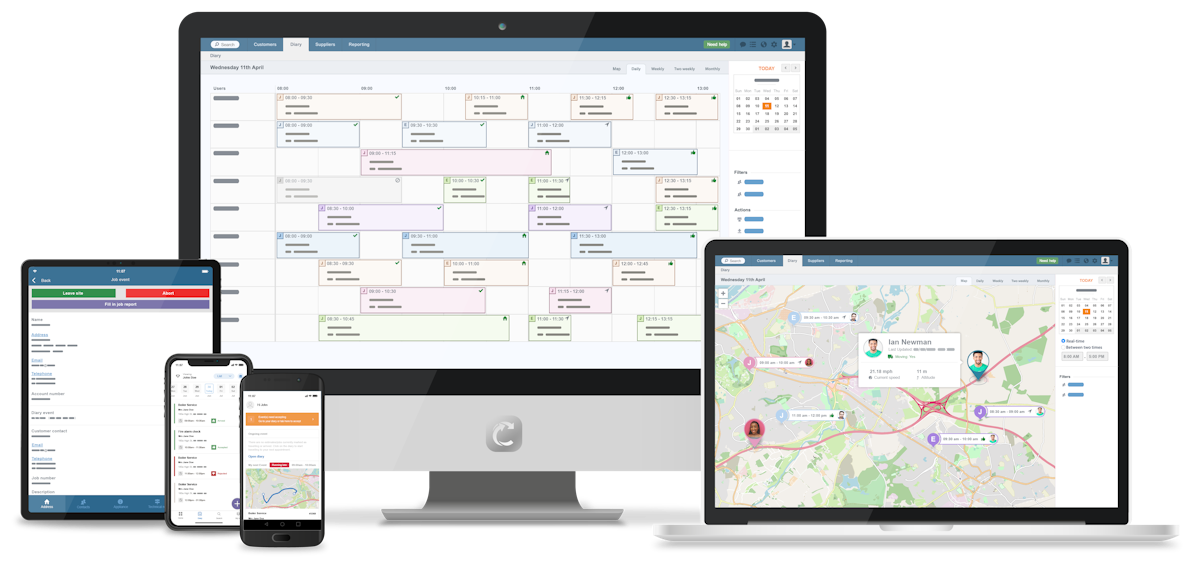
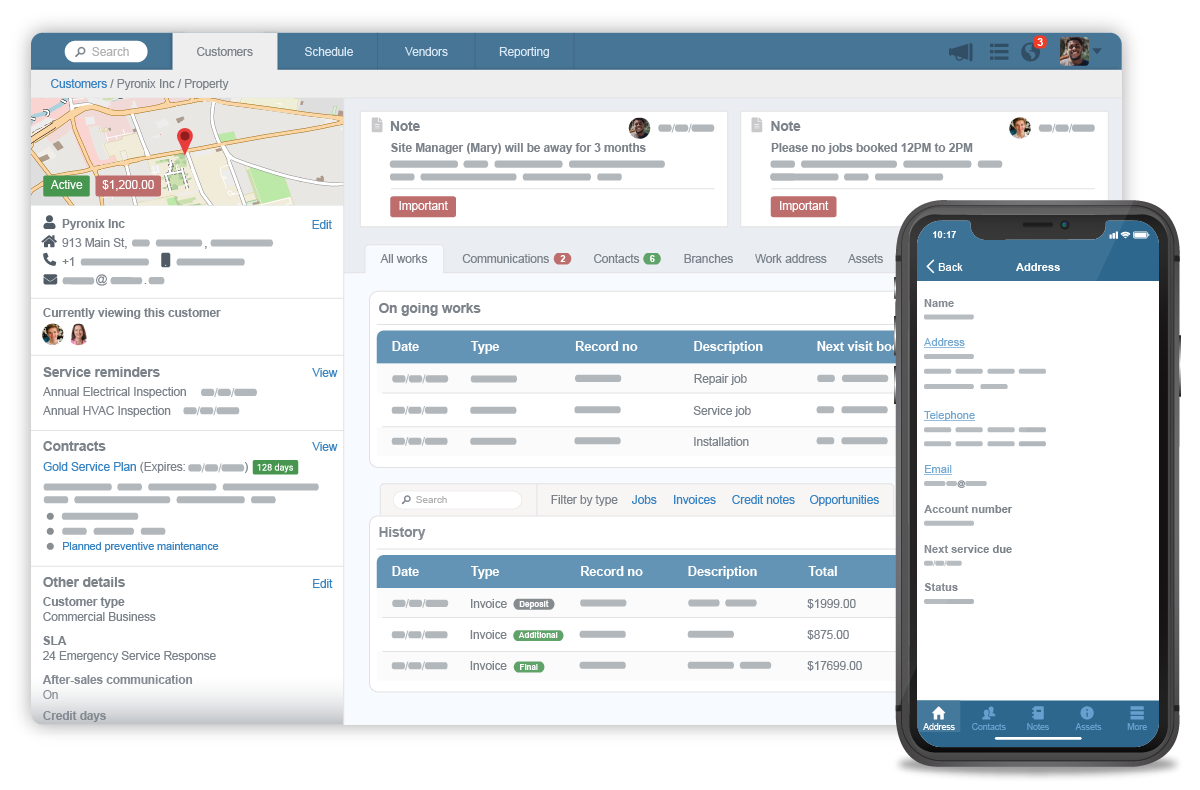
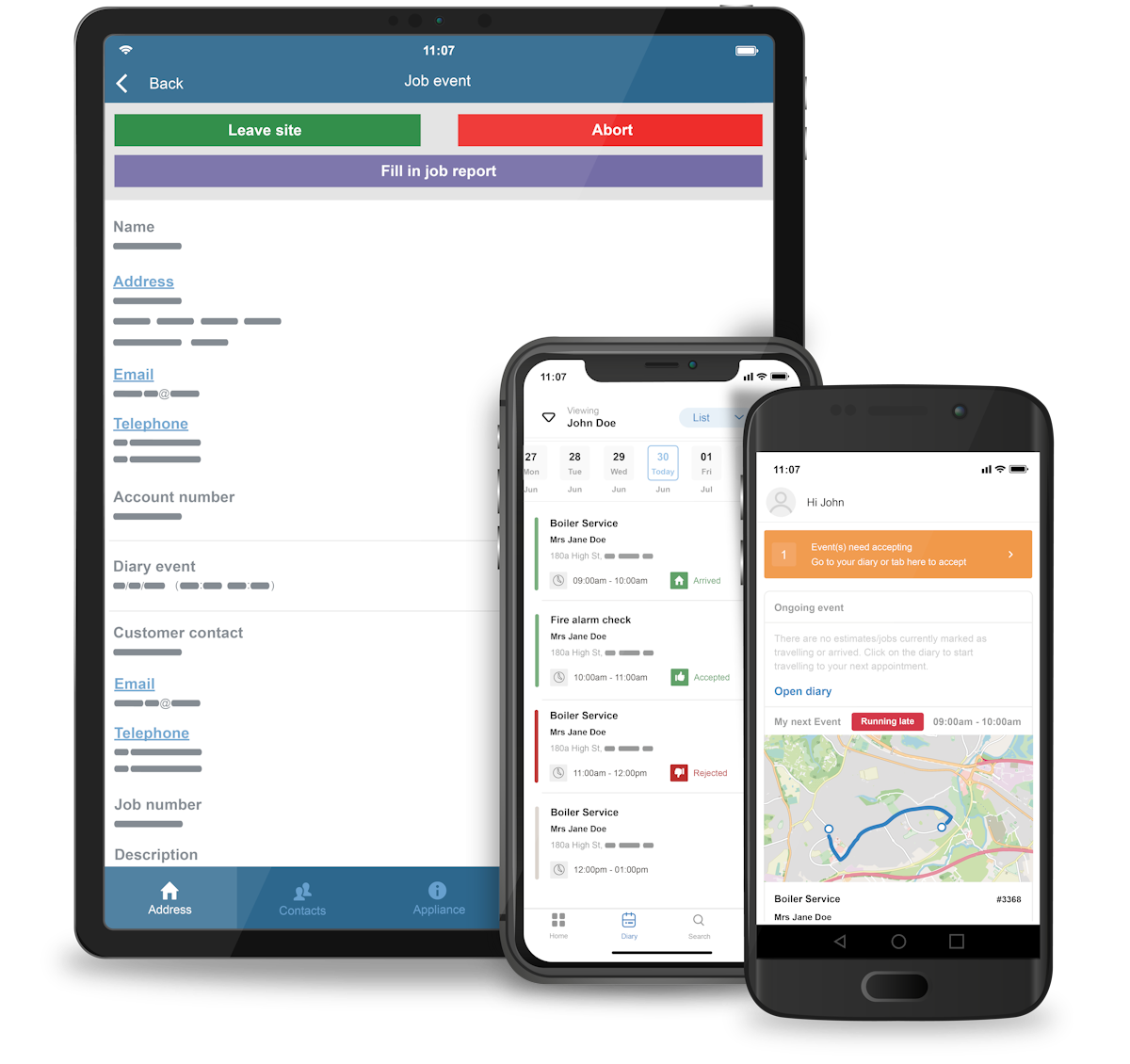
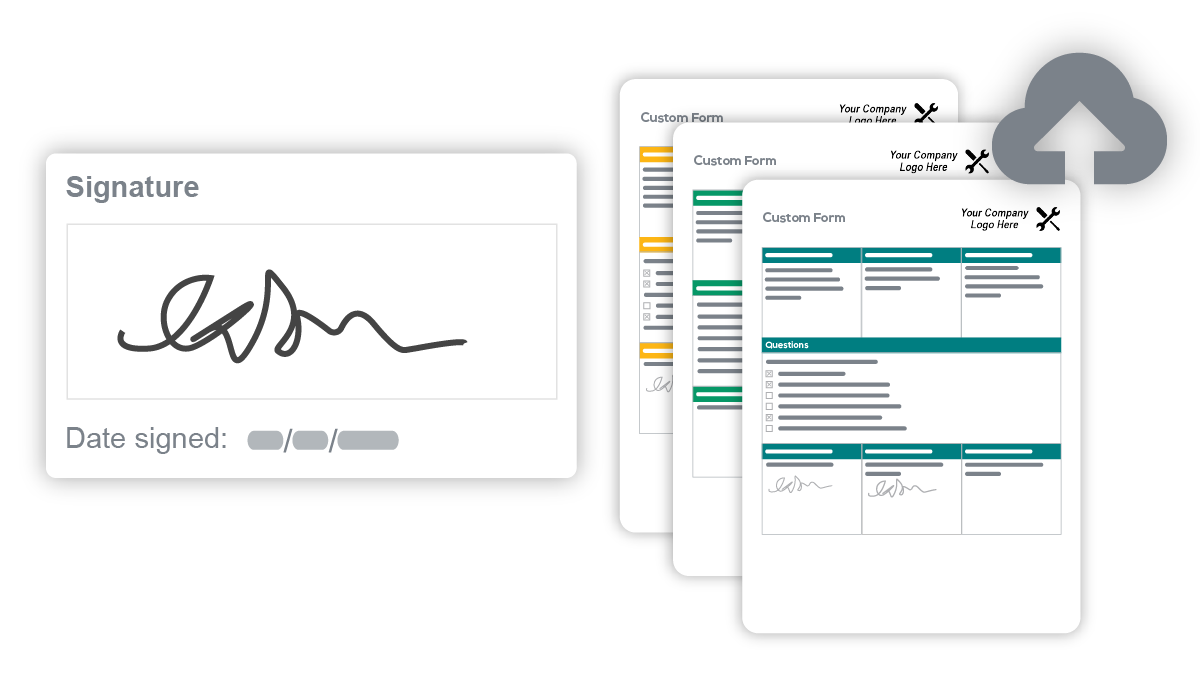
See Commusoft in action
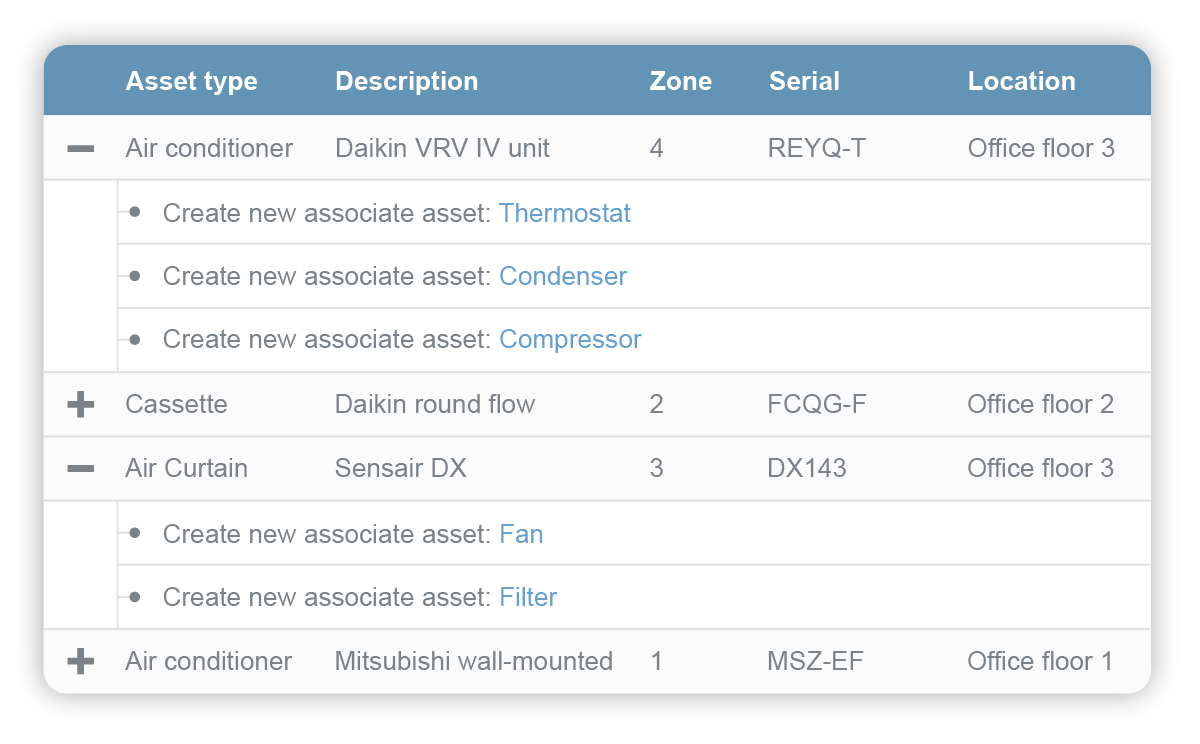
A quick look at the interface, so you know what you are getting before the trial.
What Commusoft does
The areas we lean on most in daily use, and how Commusoft handles each.
Diary & scheduling
Drag-and-drop diary, engineer routing and recurring service reminders that organise planned and reactive work in one view.
Mobile app for engineers
Engineers see full job and asset history, add photos and notes, complete certificates, take payment and send invoices from site.
Customer journey automation
Its signature. Automated confirmations, on-the-way alerts, reminders and follow-ups keep customers informed from booking to invoice.
Compliance certificates
Digital gas-safety and compliance certificates completed on the mobile app, a must for heating, gas and HVAC firms.
Job & estimate management
Quote, win and track jobs with asset and service history attached to every customer and property.
Parts, stock & purchase orders
Inventory and supplier purchase orders tie materials to jobs for accurate costing, deeper than most small-crew tools.
Invoicing & payments
Raise invoices, take card payment on site, and sync two-way with QuickBooks, Xero and Sage.
Contracts & SLAs
SLA and contract management with multi-property records for firms running commercial maintenance work.
Reporting & analytics
Dashboards on jobs, engineers, revenue and outstanding work to run the business by the numbers.
GPS & live tracking
GPS vehicle tracking shows where technicians are in real time, so dispatchers can route the nearest engineer and give customers accurate arrival windows.
How Commusoft works day to day
In daily use, Commusoft runs the whole job cycle from one place. An enquiry becomes a booked job on the diary, the right engineer or technician is scheduled and routed, and the mobile app carries the job details, asset and service history, parts, photos, certificates and payment to site. When the work is done the invoice goes out and the customer record updates in real time, so the office and the field stay in sync.
The diary and scheduling board is where the office spends the day. Drag-and-drop scheduling and dispatching, GPS vehicle tracking and recurring service reminders keep planned and reactive work organised, which matters for a firm juggling domestic call-outs and commercial maintenance contracts in the same week. Dispatchers can see every technician and job in real time.
The mobile app for field technicians is a genuine strength. An engineer can clock on, see the full job and asset history, add photos and notes, complete digital gas-safety and compliance certificates, take card payment and send the invoice, all from a phone on site. Reviewers repeatedly credit the interface for cutting paperwork and second visits.
The automated customer journey is Commusoft's signature. Automated booking confirmations, on-the-way alerts, reminders and follow-ups keep homeowners and facilities managers informed at every step, so customer communication is consistent and customer satisfaction stays high. Paired with service reminders, it turns one-off jobs into recurring maintenance revenue.
On the back office, Commusoft handles estimates, invoicing, parts and inventory management, supplier purchase orders, and two-way accounting sync with QuickBooks, Xero and Sage. Reports and live data on jobs, technicians and revenue give owners a real-time view of operations, and for firms doing commercial work, SLA and contract management, multi-property records and asset tracking are built in rather than bolted on.
Across Commusoft reviews the pattern is consistent, and it is worth reading a spread of them before you buy. Business owners praise the all-in-one depth, the clean interface, the mobile app and excellent support, which is why it holds a 4.7 out of 5 and a 4.8 for customer service. The most common complaints in Commusoft software reviews are the price, which is quote-based and higher than entry-level tools, and a learning curve that comes with the breadth of features.
The honest ceiling is cost and complexity. A solo operator or a business that only needs simple quoting and invoicing will find Commusoft heavier and pricier than a tool like Jobber, and because pricing is quote-based there is no low public headline to compare. It rewards businesses that will actually use the compliance, inventory and commercial-contract features.
Commusoft is built for the mechanical and field service industries, and its reviews come from technicians and owners across them: gas and heating engineers, plumbing and HVAC firms, electrical and renewables contractors, appliance-repair and drainage businesses, and commercial property-maintenance companies. Founded in London in 2006, it now serves field service companies in the UK and the US.
Compared with rivals, Commusoft sits between simple small-crew apps and heavy enterprise suites. It offers deeper compliance certificates, inventory and commercial-contract features than Jobber or Housecall Pro, and is more affordable and trade-focused than an enterprise platform like ServiceTitan, which is why mechanical-trade businesses shortlist it.
Commusoft pros and cons
Pros
- One of the highest ratings in the category (4.7/5, 4.8 for support)
- True all-in-one depth: certificates, stock, contracts, accounting sync
- Strong mobile app engineers actually use on site
- Automated customer journey that lifts reviews and repeat work
- Built for the mechanical trades and commercial field service
Cons
- Quote-based pricing, higher than entry-level tools and not public
- Learning curve that comes with the breadth of features
- Overkill for a solo operator or simple one-off jobs
- Longer onboarding than a plug-and-play app
- UK-origin, so some workflows lean to UK trade conventions
Who should use Commusoft, and who should skip it
A great fit if you
- You run an HVAC, plumbing, heating or electrical business
- You do both domestic call-outs and commercial maintenance contracts
- You need gas-safety and compliance certificates handled digitally
- You want parts, stock and accounting depth, not just quote-to-invoice
- You value responsive support during a longer onboarding
Look elsewhere if you
- You are a solo operator who only needs simple quoting and invoicing
- You want a low, public, self-serve price with no sales call
- You need to be fully live in a single weekend
- You do not do compliance, stock or commercial-contract work
Is Commusoft right for your trade?
Commusoft is used across the main home-service trades. Here is how it fits each one, and what its reviews tend to say in that niche.
Commusoft for Gas & heating
Gas and heating engineers use Commusoft for digital gas-safety certificates, service reminders and asset history on every boiler and property.
Commusoft for Plumbing
Plumbing firms run domestic call-outs and commercial contracts from one diary, with parts, invoicing and payment handled on site.
Commusoft for HVAC
HVAC businesses use Commusoft for planned maintenance, compliance certificates and multi-property asset tracking; its HVAC software reviews praise the depth.
Commusoft for Electrical
Electrical contractors manage certificates, jobs and stock, and quote and invoice commercial work without separate systems.
Commusoft for Renewables & heat pumps
Renewables and heat-pump installers use job, asset and warranty tracking built for longer, compliance-heavy installs.
Commusoft for Appliance repair
Appliance-repair businesses use asset history, parts ordering and mobile invoicing to close service calls in one visit.
Commusoft for Drainage
Drainage companies schedule reactive and planned work and keep photo evidence and reports against each job.
Commusoft for Property maintenance
Property-maintenance firms use multi-property records, SLAs and contract management for reactive and planned works.
Commusoft for Facilities management
Facilities and commercial maintenance teams run SLA-driven contracts with asset registers and audit trails.
Commusoft for Commercial field service
Commercial field service firms lean on contract management, purchase orders and reporting that simple apps do not offer.
Commusoft scorecard
How Commusoft scored across our rubric. Every tool is measured on the same areas.
Commusoft pricing and plans
Real starting prices, dated and re-checked each pass. Commusoft uses quote-based, per-user pricing tailored to team size and modules, and does not publish public rates; third-party sources estimate roughly $100 per user per month as a starting point. A free trial and demo are available; contact sales for a current quote.
Starts at Custom quote.
Commusoft integrations
Tools Commusoft connects with out of the box, so it fits the stack you already run.
 QuickBooks Online
 Xero
Xero
 Stripe
 Microsoft Outlook
 Zapier
Support, training and deployment
How you can reach the Commusoft team, how they onboard you, and where it runs.
Support
- Email / Help Desk
- Phone Support
- Chat
- Knowledge Base
Training
- Live Online
- Webinars
- Documentation
- Dedicated onboarding
Deployment
- Cloud, SaaS, Web-Based
- Mobile - Android
- Mobile - iPhone / iPad
Typical customers
- Small businesses
- Mid-size businesses
Commusoft alternatives
If Commusoft is not the fit, these are the closest tools we rank, in order.




How to test Commusoft before you commit
Every tool demos well. These are the checks that actually tell you whether Commusoft fits your shop, while the free trial is still running.
Run a real job end to end
- Book it, schedule it, dispatch a tech, then invoice and take payment
- Do it on the phone your techs actually carry, not a demo laptop
- Try it with weak signal in the field, not just on office wifi
- Add a second user and watch how the per-seat price moves
Watch for the catch
- Payment-processing fees taken on every card and ACH run
- Features quietly locked to a higher tier than the one you tried
- Onboarding or data import sold as a paid add-on
- How hard it is to export your data if you decide to leave
Commusoft FAQ
Who is Commusoft best for?
Commusoft is best for HVAC, plumbing, heating, gas and electrical firms that run both domestic and commercial work and want an all-in-one system with compliance certificates, stock control and contract management, not just simple quoting and invoicing.
How much does Commusoft cost?
Commusoft uses quote-based, per-user pricing tailored to your team size and modules, and does not publish public rates. Third-party sources estimate roughly $100 per user per month as a starting point. A free trial and demo are available; contact sales for a current quote.
What do Commusoft reviews say?
Across Commusoft reviews the pattern is consistent: users rate it 4.7 out of 5 from more than 200 reviews, with a standout 4.8 for customer service, and praise the all-in-one depth and mobile app. The most common criticisms are the price and the learning curve that comes with its breadth of features.
Is Commusoft good for HVAC and plumbing businesses?
Yes. HVAC, plumbing and heating firms are Commusoft's core market. Digital compliance certificates, planned-maintenance reminders, parts and stock, and multi-property records map directly onto how mechanical-trade businesses run domestic and commercial work.
Commusoft vs Jobber: which should I choose?
Jobber is simpler, cheaper and faster to set up for small home-service crews. Commusoft is deeper for the mechanical trades, with compliance certificates, stock control and commercial-contract management that Jobber does not match. Choose Commusoft if you need that depth, and Jobber if you want a quick, low-cost quote-to-invoice tool.
Does Commusoft have a mobile app?
Yes. The Commusoft mobile app lets engineers view job and asset history, add photos and notes, complete gas-safety and compliance certificates, take card payment and send invoices from site. It is one of the most praised parts of the platform.
Does Commusoft handle gas-safety and compliance certificates?
Yes. Digital gas-safety and other compliance certificates can be completed on the mobile app and stored against each customer and asset, which is a major reason heating, gas and HVAC firms choose it.
Does Commusoft manage commercial contracts and SLAs?
Yes. SLA and contract management, multi-property customer records and asset tracking are built in, so firms running commercial maintenance alongside domestic work can manage both in one system.
Does Commusoft integrate with accounting software?
Yes. Commusoft syncs two-way with QuickBooks, Xero and Sage, so invoices and payments flow into your accounts without double entry.
Is Commusoft available in the US?
Yes. Commusoft was founded in London in 2006 and now serves field service companies in both the UK and the US, with US-based support and onboarding.
What are Commusoft's main downsides?
The most common ones reviewers cite are quote-based pricing that is higher than entry-level tools and not publicly listed, and a learning curve and onboarding time that come with the platform's depth.
Commusoft reviews from real users
Verified reviews from people running Commusoft in the field. Every review is read by our team before it goes live, so this is honest signal, not spam.
No user reviews yet. If you use Commusoft, be the first to tell other shops how it works in the real world.
You need a free account to post a review. Create one in under a minute and you will come right back here to write it.
Why our ranking is worth trusting
“We run a real week of jobs through every tool and score it against the same 40 points. If it wins, it earned it, and no vendor can change that.”
The Duhari review teamNot sure which tool fits?
Start from the full ranking, filtered by your trade and crew size, and pick the right tool with honest scores and real starting prices.