
Contractor+ Review
Contractor+ (also written Contractor Plus) is a mobile-first, affordable all-in-one app for contractors, and this Contractor+ review weighs the pricing, features and what verified Contractor+ reviews say, with one detail that sets it apart: a genuinely usable free plan.
On this page
The verdict
Contractor+ punches well above its price. It earns a 4.7 out of 5 from more than 220 verified reviews, with consistent 4.6 marks for value, ease of use and support, and its calling card is a free plan that is actually usable rather than a crippled demo. For a solo contractor or a small crew, it covers estimating, invoicing, scheduling, client management and payments from a phone without a subscription to start.
Where Contractor+ separates itself is value and breadth for the money. The free Freedom plan runs the core business, and when you outgrow it, Pro is about $29 per user a month and Pro Team about $58, roughly half the base price of the bigger names. On top of the basics it adds a materials price book, expense and job costing, e-signatures, card payments and homeowner financing, which is a lot of app for the price.
The trade-offs are the ones you expect from a fast-moving, lower-cost product. Reviewers report the occasional bug and a learning curve as features are added quickly, and the invoicing and customer-facing polish is lighter than an established platform like Jobber or Housecall Pro. For a budget-conscious contractor who wants an all-in-one without a big commitment, though, Contractor+ is one of the best-value tools on the market.
Contractor+ at a glance
| Vendor | Contractor+ | Category | Field service management |
|---|---|---|---|
| Best for | solo and small contractors on a budget | Starting price | $0-$58/user/mo |
| Free trial | Yes | Free plan | Yes |
| User rating | 4.7/5 (225+ reviews) | Our score | 8.7/10 |
| Deployment | Cloud, iOS, Android | Founded | – |
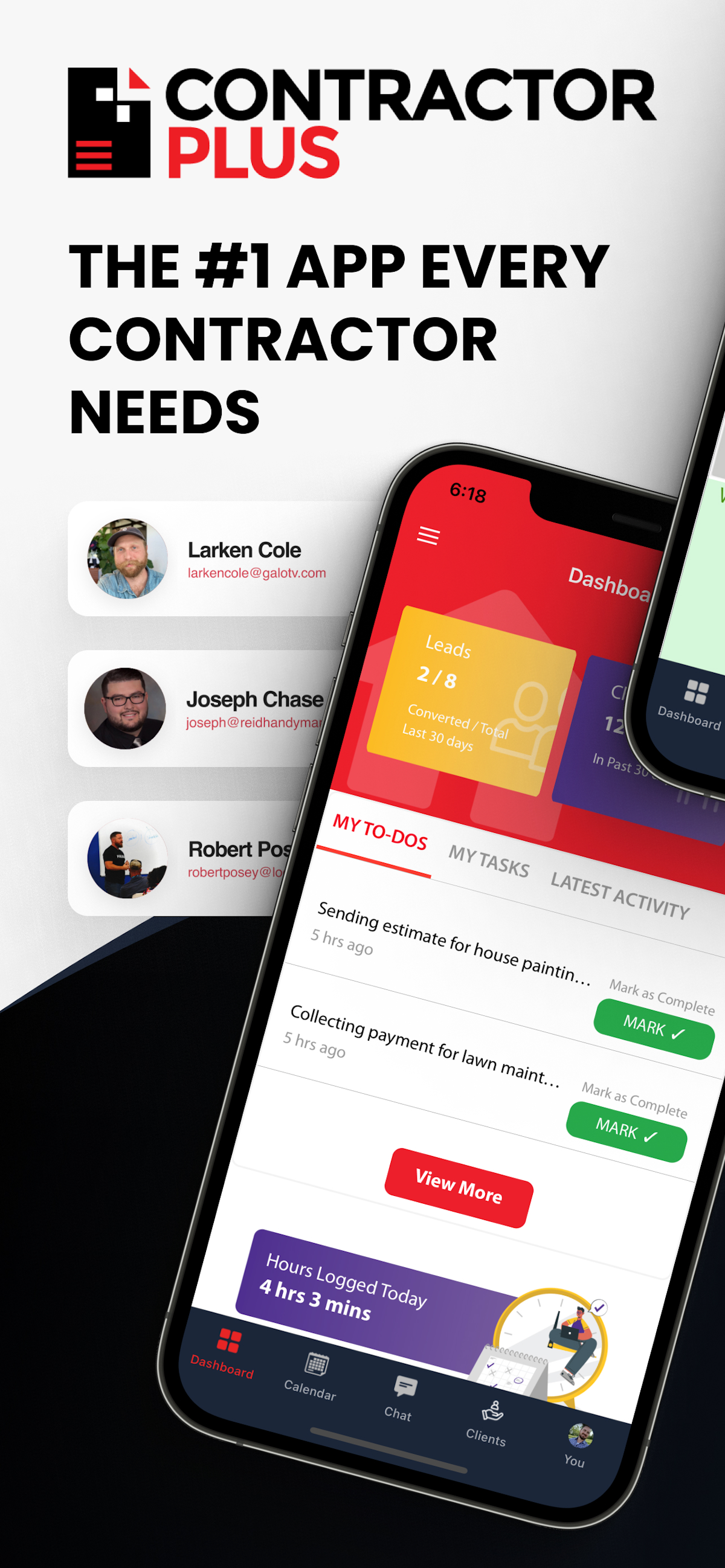
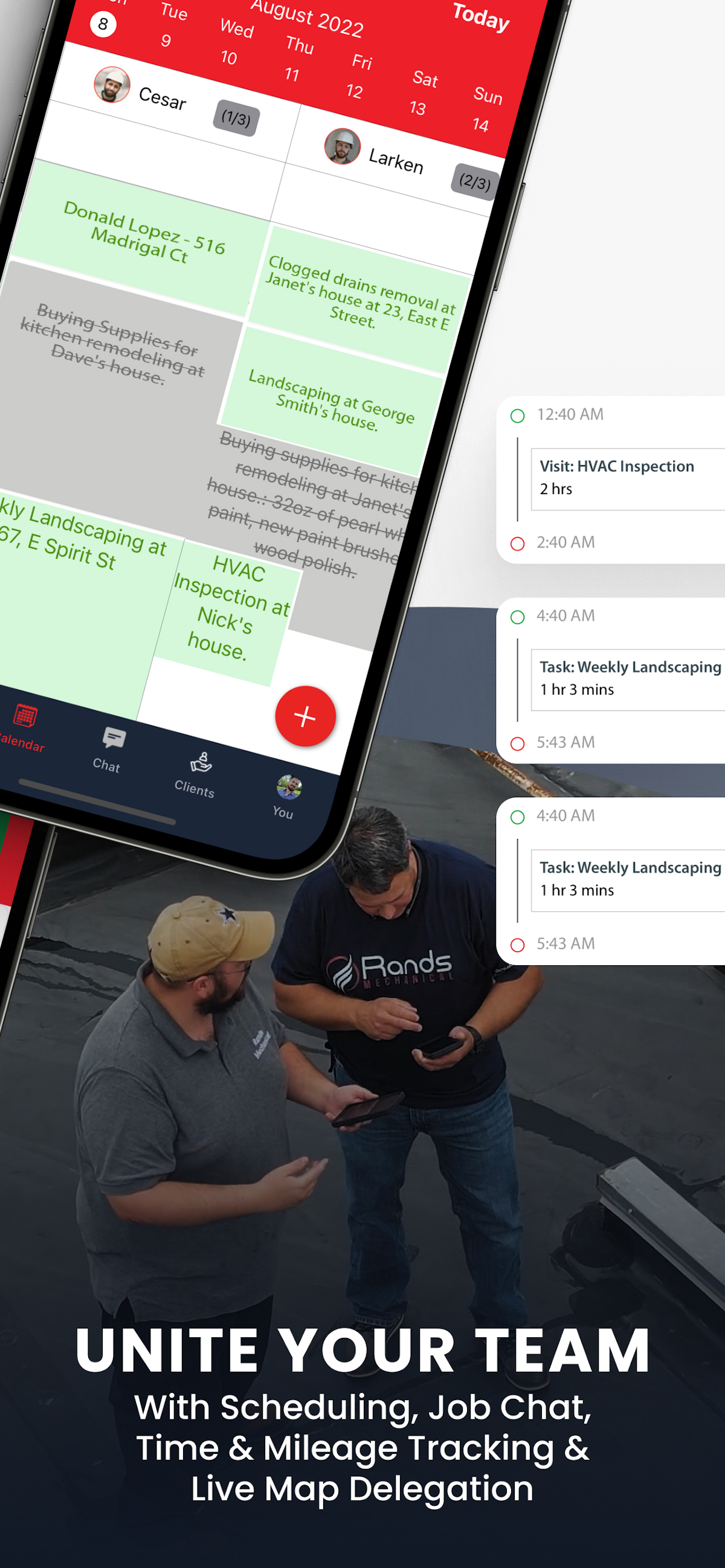
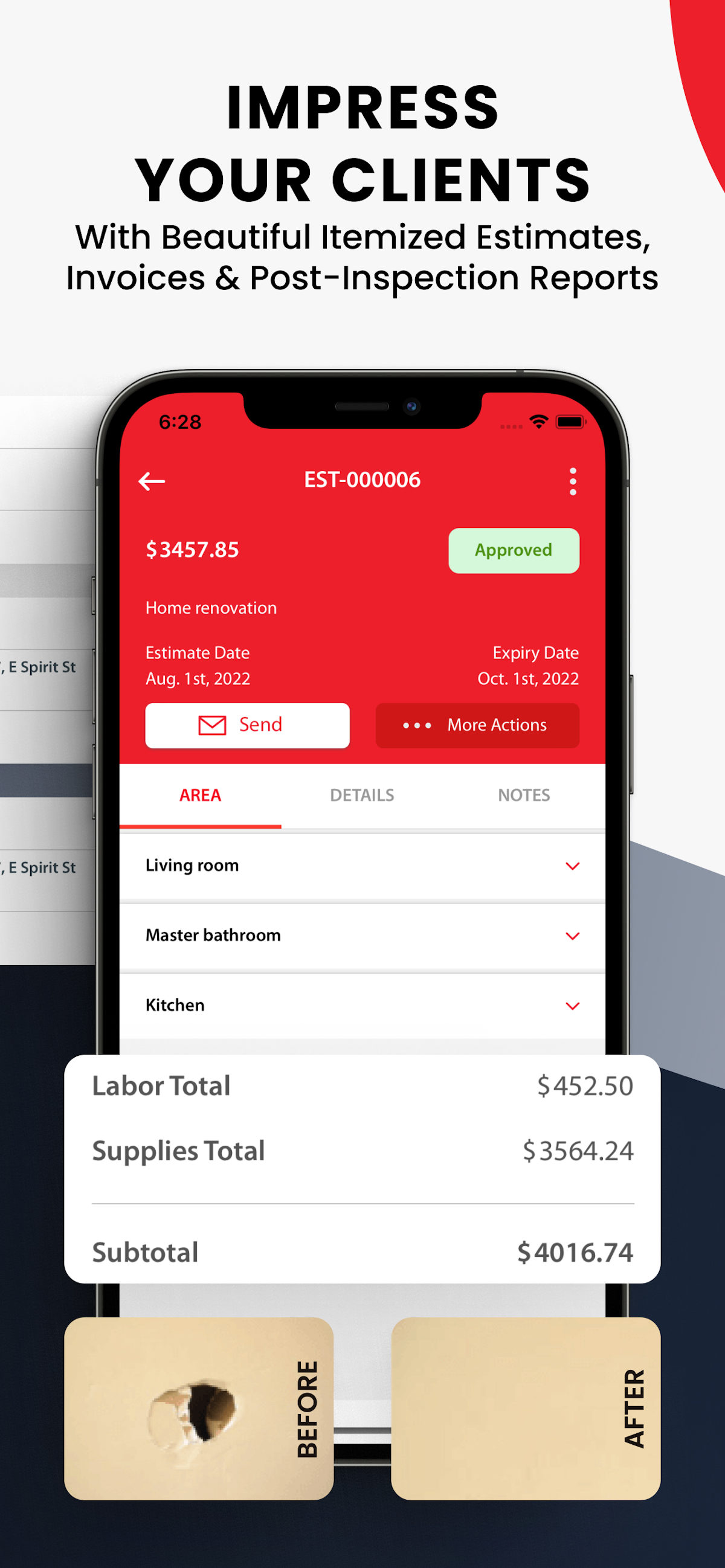
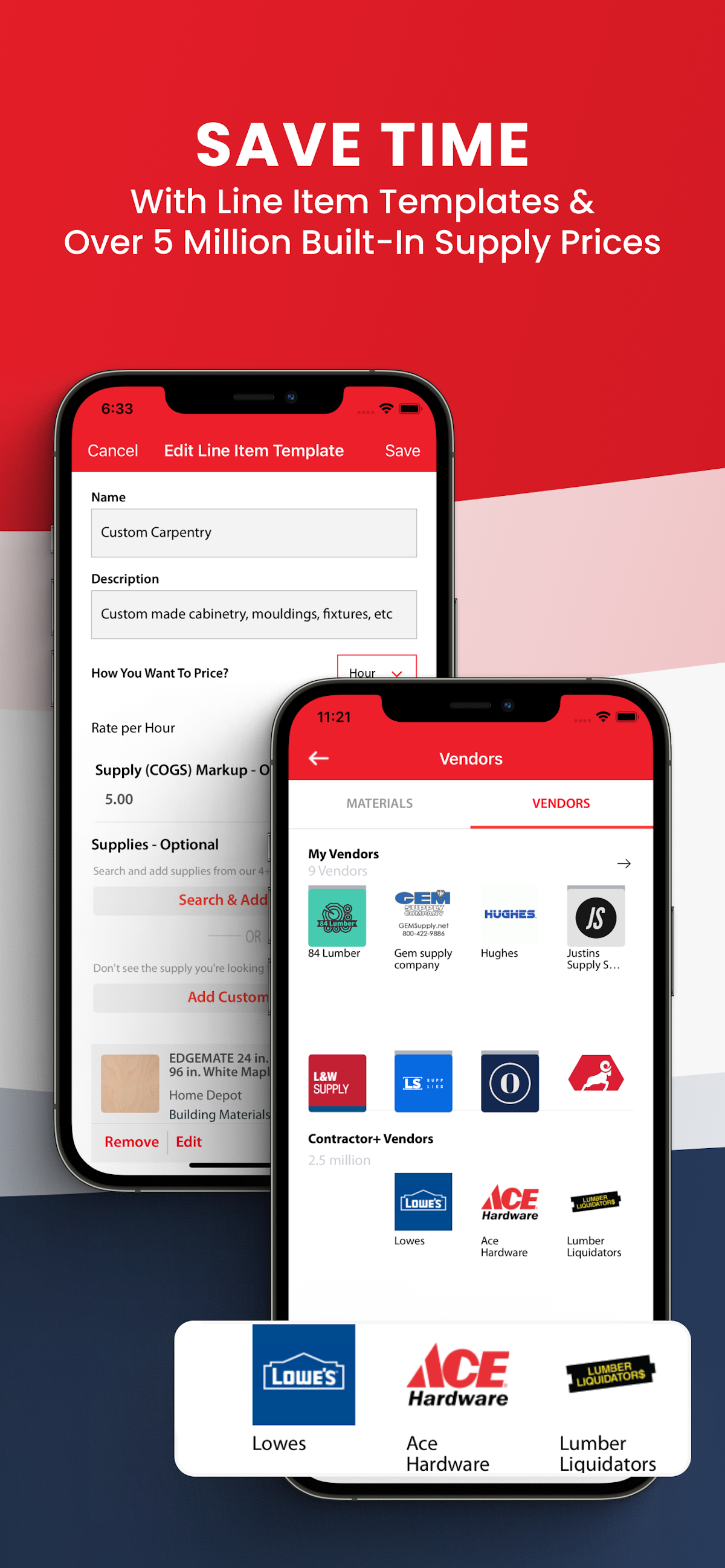
See Contractor+ in action
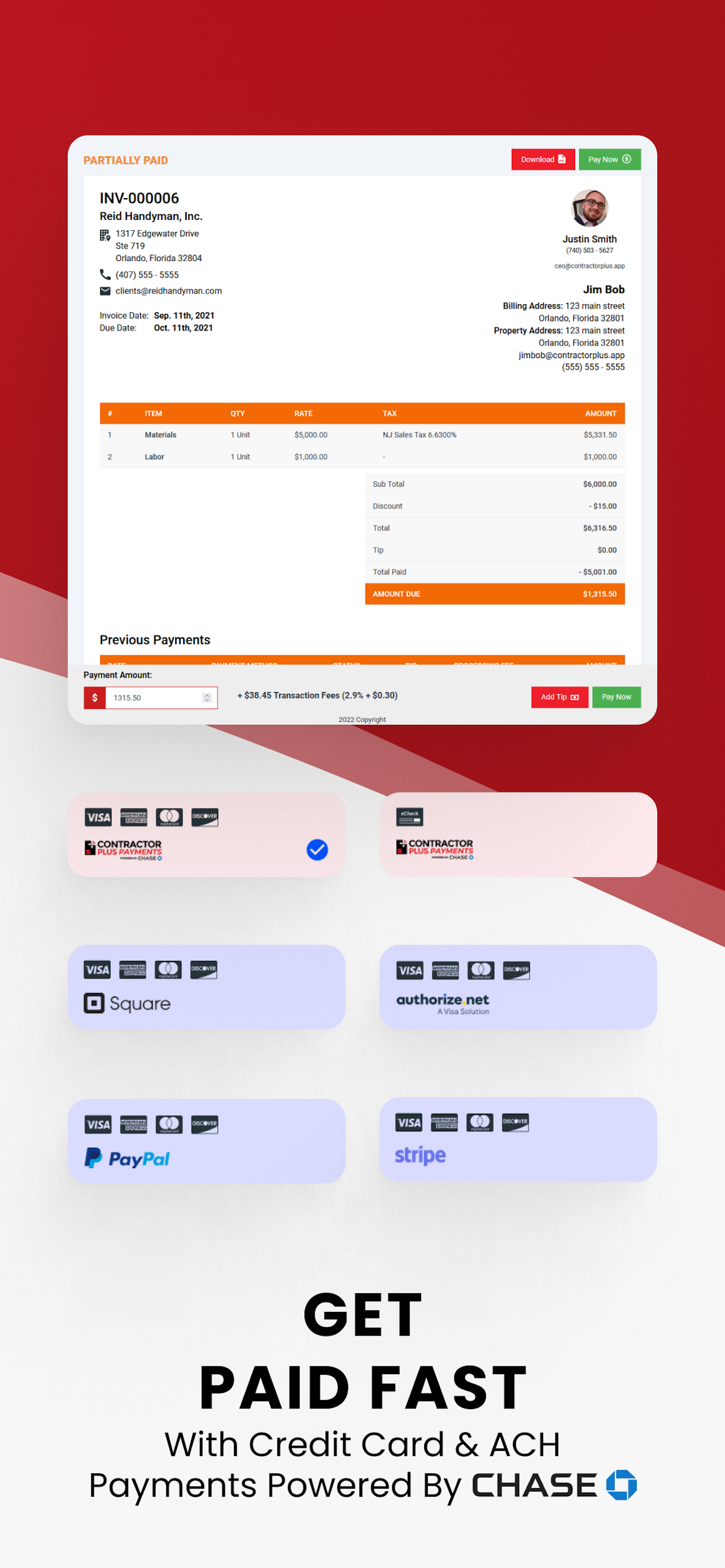
A quick look at the interface, so you know what you are getting before the trial.
What Contractor+ does
The areas we lean on most in daily use, and how Contractor+ handles each.
Estimates & invoices
Build itemised, professional estimates from a materials price book and assemblies, get e-signature approval, then convert to an invoice, all from a phone.
Estimatic AI estimating
AI-assisted estimating (Estimatic AI) with live cost data and Lowe's pricing integration builds itemised, customizable quotes in minutes.
Free "Freedom" plan
A genuinely usable free-forever tier covering estimating, invoicing and client management, so a solo contractor can start without a subscription.
Payments & financing
Take card payments and offer homeowners financing through Wisetack at the point of sale to close bigger jobs.
Expense & job costing
Track materials, expenses and time against each job to see whether the work actually made money, without a separate spreadsheet.
Price book & materials
A materials price book with real supplier pricing and reusable line items keeps quotes fast and accurate.
Scheduling & jobs
A calendar, job tracking and to-dos keep the day organised for a one-van or small-crew operation.
Client & lead management
Client records, communication and history in one place, so follow-up and repeat work are not lost in text messages.
Photos via CompanyCam
A CompanyCam integration attaches job-site photos and notes to each job for documentation and disputes.
QuickBooks sync
Two-way QuickBooks Online sync keeps invoices and payments flowing into your accounts without double entry.
CRM & client portal
A CRM tracks leads and clients (up to 250 free), and a custom-branded client portal shares documents and proposals securely.
Automated job costing
Time, mileage and expense tracking feed automated job costing so you see real profit per job without a spreadsheet.
How Contractor+ works day to day
In daily use, Contractor+ is built to run a small contracting or construction business from a phone. A lead becomes a detailed estimate on site, the customer approves and e-signs it, it converts to an invoice, and the contractor takes a card payment or offers financing, all without going back to an office computer. The whole flow is mobile-first, which is exactly how a solo operator or a small crew actually works.
Estimating is the core, and it is genuinely strong for the price. A materials price book with live cost data and Lowe's pricing integration, reusable line items and assemblies, and AI-assisted estimating through Estimatic AI let a contractor build a professional, customizable, itemised quote in minutes. Reviewers repeatedly credit the estimates for helping them win work and stop underpricing jobs.
The free Freedom plan is the reason Contractor+ lands on so many shortlists. It is a genuinely usable free tier with a basic CRM for up to 250 leads and clients, so a new contractor can start earning before paying anything. When the business grows, Pro (about $29 per user a month) unlocks unlimited estimates, invoices and leads, automated contracts and AI credits, and Pro Team (about $58) adds automated job costing, a business phone system and a custom-branded client portal.
On the money side, Contractor+ handles invoicing, payment processing with cards and ACH, and homeowner financing through Wisetack, plus expense, time and mileage tracking that ties costs back to each job for real, automated job costing. For a small business, seeing whether a job actually made money without a separate spreadsheet is a genuine advantage.
Around the core it covers the rest of what a contractor needs day to day: a CRM with lead and client management, job and project management, scheduling with calendar sync and dispatch, employee management, a client portal for secure document sharing, tool and asset tracking, inventory, document management, signature capture, photos and notes through the CompanyCam integration, and two-way QuickBooks sync, all in an intuitive interface on web and mobile so the books stay current. It is a lot of feature breadth for a tool that starts free.
Across Contractor+ reviews the pattern is consistent, and it is worth reading a spread of them before you buy. Business owners praise the value, the free plan, the intuitive interface, the AI estimating and the all-in-one mobile app, which is why it holds a 4.7 out of 5 with a matching 4.6 for value for money. The most common complaints in Contractor+ software reviews are occasional bugs, a learning curve as features are added quickly, and customer-facing polish that trails the pricier established apps.
The honest ceiling is polish and depth at scale. A larger, process-heavy operation that needs bespoke workflows, deep reporting or a large office team will outgrow Contractor+ and want the maturity of a Jobber or a ServiceTitan, and some capabilities like the client portal sit on the higher tiers. It rewards solo operators and small crews who value price and breadth over enterprise polish.
Contractor+ is built for the trades and small construction businesses, and its reviews come from across them: general contractors and remodelers, handyman businesses, HVAC, plumbing and electrical pros, roofing, painting, flooring and landscaping crews, and concrete and drywall contractors. Its mobile-first, low-cost approach fits the way small trade businesses actually run.
Compared with rivals, Contractor+ competes on price and the free plan. It is cheaper and more generous at the entry level than Jobber or Housecall Pro, and while those tools are more polished and mature, few give a contractor this much functionality, from AI estimating to a CRM and automated job costing, before asking for a subscription, which is exactly why budget-conscious pros shortlist it.
Contractor+ pros and cons
Pros
- One of the best value-for-money tools in the category (4.7/5, 4.6 for value)
- A genuinely usable free plan, not a crippled demo
- Strong mobile estimating with a real materials price book
- Job costing, e-signatures, payments and financing built in
- Roughly half the base price of the bigger names
Cons
- Occasional bugs as features are added quickly
- Learning curve from the breadth of features
- Customer-facing polish trails Jobber and Housecall Pro
- Lighter reporting for larger, process-heavy operations
- Support is good but not enterprise-grade
Who should use Contractor+, and who should skip it
A great fit if you
- You are a solo contractor or small crew on a budget
- You run general contracting, handyman, remodeling or a trade business
- You want a genuinely free plan to start, not just a trial
- You want strong mobile estimating and invoicing from a phone
- You want to offer homeowner financing without extra tools
Look elsewhere if you
- You run a large, process-heavy operation with an office team
- You need deep custom reporting and bespoke workflows
- You want the most polished, mature customer-facing experience
- You need enterprise-grade support and onboarding
Is Contractor+ right for your trade?
Contractor+ is used across the main home-service trades. Here is how it fits each one, and what its reviews tend to say in that niche.
Contractor+ for General contracting
General contractors and remodelers use Contractor+ for itemised estimates, change orders and job costing on multi-stage projects.
Contractor+ for Handyman
Handyman businesses use the free plan and fast mobile estimating to look professional without a big software cost.
Contractor+ for Remodeling
Remodeling contractors build good-better-best proposals with a materials price book and collect deposits and financing.
Contractor+ for HVAC
HVAC pros quote from a price book, take payment and offer financing on site; its HVAC-focused reviews praise the value.
Contractor+ for Plumbing
Plumbing businesses use mobile estimates, invoicing and job costing to run service work from a phone.
Contractor+ for Electrical
Electrical contractors quote itemised jobs, capture photos and collect payment without office paperwork.
Contractor+ for Roofing
Roofing crews use proposals, financing and CompanyCam photos to win and document larger jobs.
Contractor+ for Painting
Painting businesses build detailed estimates and follow up on leads to win repeat and referral work.
Contractor+ for Flooring
Flooring contractors quote by area from a materials price book and collect e-signed approvals on site.
Contractor+ for Landscaping
Landscaping and lawn-care crews use scheduling, recurring invoicing and mobile estimates for route-based work.
Contractor+ for Concrete
Concrete contractors build assembly-based estimates and track materials and expenses against each pour.
Contractor+ for Drywall
Drywall and finishing contractors quote by area and manage crews and change orders from the app.
Contractor+ scorecard
How Contractor+ scored across our rubric. Every tool is measured on the same areas.
Contractor+ pricing and plans
Real starting prices, dated and re-checked each pass. A genuinely usable free Freedom plan (1 user) is included. Pro is about $29 per user per month (annual, $49 monthly) and Pro Team about $58 per user per month, with additional Pro Team users at $20 each. Prices are per user and billed by seat.
- 1 user
- Basic CRM, up to 250 leads
- 5 estimates or invoices a month
- Scheduling and to-dos
- Card payments
- Everything in Freedom
- Unlimited estimates and invoices
- Automated contracts and AI credits
- Materials price book and live cost data
- QuickBooks sync and job costing
- Everything in Pro
- Unlimited AI credits
- Automated job costing
- Business phone system
- Custom-branded client portal
Contractor+ integrations
Tools Contractor+ connects with out of the box, so it fits the stack you already run.
 QuickBooks Online
 Stripe
 CompanyCam
 Google Calendar
 Gmail
Gmail
 PayPal
Support, training and deployment
How you can reach the Contractor+ team, how they onboard you, and where it runs.
Support
- Email / Help Desk
- Chat
- Knowledge Base
- FAQs / Forum
Training
- Live Online
- Documentation
- Videos
Deployment
- Cloud, SaaS, Web-Based
- Mobile - Android
- Mobile - iPhone / iPad
Typical customers
- Freelancers
- Small businesses
Contractor+ alternatives
If Contractor+ is not the fit, these are the closest tools we rank, in order.




How to test Contractor+ before you commit
Every tool demos well. These are the checks that actually tell you whether Contractor+ fits your shop, while the free trial is still running.
Run a real job end to end
- Book it, schedule it, dispatch a tech, then invoice and take payment
- Do it on the phone your techs actually carry, not a demo laptop
- Try it with weak signal in the field, not just on office wifi
- Add a second user and watch how the per-seat price moves
Watch for the catch
- Payment-processing fees taken on every card and ACH run
- Features quietly locked to a higher tier than the one you tried
- Onboarding or data import sold as a paid add-on
- How hard it is to export your data if you decide to leave
Contractor+ FAQ
Does Contractor+ have a free plan?
Yes. Contractor+ offers a genuinely usable free Freedom plan for 1 user, covering estimates, invoices, client management and scheduling. It is a free-forever tier, not a time-limited trial, which is a big reason budget-conscious contractors choose it.
How much does Contractor+ cost?
Contractor+ has three plans: Freedom is free for 1 user, Pro is about $29 per user per month (annual; $49 monthly), and Pro Team is about $58 per user per month, with additional Pro Team users at $20 each. That is roughly half the base price of the bigger names.
What do Contractor+ reviews say?
Across Contractor+ reviews the pattern is consistent: users rate it 4.7 out of 5 from more than 220 reviews, with a matching 4.6 for value for money, and praise the free plan, the mobile estimating and the price. The most common criticisms are occasional bugs and customer-facing polish that trails pricier apps.
Is Contractor+ worth it?
For a solo contractor or a small crew, yes. Contractor+ gives you estimating, invoicing, payments, financing and job costing from a phone, starting free and staying affordable as you grow. It is less worth it for a large, process-heavy operation that needs enterprise polish and deep reporting.
Contractor+ vs Jobber: which should I choose?
Contractor+ is cheaper and has a genuinely free plan, with strong mobile estimating and a materials price book. Jobber is more polished and mature, with a better customer-facing experience and deeper automation, but costs more. Choose Contractor+ for value and a free start, and Jobber for polish and scale.
Is Contractor+ good for general contractors and handymen?
Yes. General contractors, remodelers and handyman businesses are Contractor+'s core users. Itemised estimates, change orders, a materials price book and job costing map directly onto how project-based trade work is quoted and run.
Does Contractor+ do estimates and invoices?
Yes. Estimating is Contractor+'s core strength: build itemised estimates from a materials price book and assemblies, get e-signature approval, then convert straight to an invoice and take payment, all from the mobile app.
Does Contractor+ offer homeowner financing?
Yes. Contractor+ integrates homeowner financing through Wisetack, so contractors can offer monthly payment options at the point of sale to close bigger jobs.
Does Contractor+ have a mobile app?
Yes, and it is mobile-first by design. The whole business, estimating, invoicing, scheduling, payments and photos, runs from the Contractor+ app on iOS and Android, which is why solo operators and small crews adopt it quickly.
Does Contractor+ integrate with QuickBooks?
Yes. Contractor+ syncs two-way with QuickBooks Online, and integrates with CompanyCam for job-site photos and Wisetack for financing, among other tools.
What are Contractor+'s main downsides?
The most common ones reviewers cite are occasional bugs and a learning curve as new features are added quickly, plus customer-facing and reporting polish that is lighter than established platforms like Jobber or Housecall Pro.
Is Contractor Plus the same as Contractor+?
Yes. Contractor+ and Contractor Plus are the same app; the name is written both with a plus sign and spelled out. Contractor Plus reviews and search results refer to the same mobile-first contractor software covered in this Contractor Plus review.
Contractor+ reviews from real users
Verified reviews from people running Contractor+ in the field. Every review is read by our team before it goes live, so this is honest signal, not spam.
No user reviews yet. If you use Contractor+, be the first to tell other shops how it works in the real world.
You need a free account to post a review. Create one in under a minute and you will come right back here to write it.
Why our ranking is worth trusting
“We run a real week of jobs through every tool and score it against the same 40 points. If it wins, it earned it, and no vendor can change that.”
The Duhari review teamNot sure which tool fits?
Start from the full ranking, filtered by your trade and crew size, and pick the right tool with honest scores and real starting prices.