
Housecall Pro Review
Housecall Pro is the field service management software built around the customer experience, and this Housecall Pro review weighs the pricing, features and what thousands of verified Housecall Pro reviews actually say, so a home-service business can decide fast whether it is the right fit.
On this page
The verdict
Housecall Pro is the field service software we point residential home-service businesses to first, and it carries one of the highest user ratings in the category: 4.7 out of 5 from more than 2,700 verified reviews, with standout marks for customer support and ease of use. It runs the whole job the way a homeowner experiences it, from an online booking widget and automated reminders through to the invoice, card payment or consumer financing, and an automatic Google review request afterward.
Where Housecall Pro separates from the pack is the consumer-facing marketing layer: built-in review generation, email and postcard marketing, and financing are first-class features, not bolt-ons. Housecall Pro pricing starts at $59 per month on the annual Basic plan and climbs through Essentials ($149) and MAX ($299), so the routing, sales proposals and advanced reporting a growing business often wants sit on the higher tiers.
The trade-offs reviewers raise consistently are limited customization, the odd QuickBooks sync bug, and reporting that stays lighter than enterprise tools. For an HVAC, plumbing, electrical, cleaning or other residential home-service business that wants marketing and customer experience handled in one place, though, Housecall Pro is worth it, and it is one of the easiest platforms in this roundup to adopt.
Housecall Pro at a glance
| Vendor | Housecall Pro | Category | Field service management |
|---|---|---|---|
| Best for | residential home-service businesses | Starting price | $59-$329/mo |
| Free trial | Yes | Free plan | No |
| User rating | 4.7/5 (2,700+ reviews) | Our score | 8.9/10 |
| Deployment | Cloud, iOS, Android | Founded | 2013 |
| Headquarters | San Diego, USA | Users | 200,000+ |
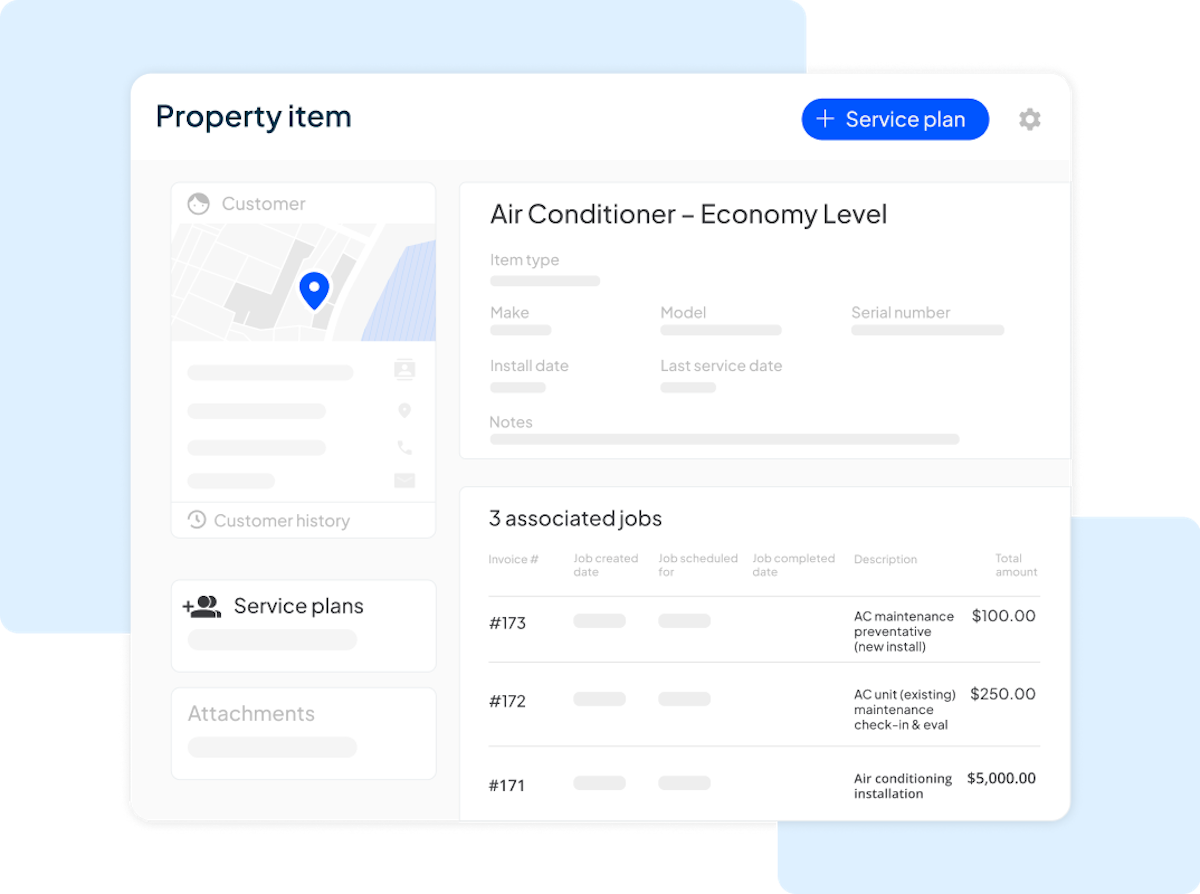
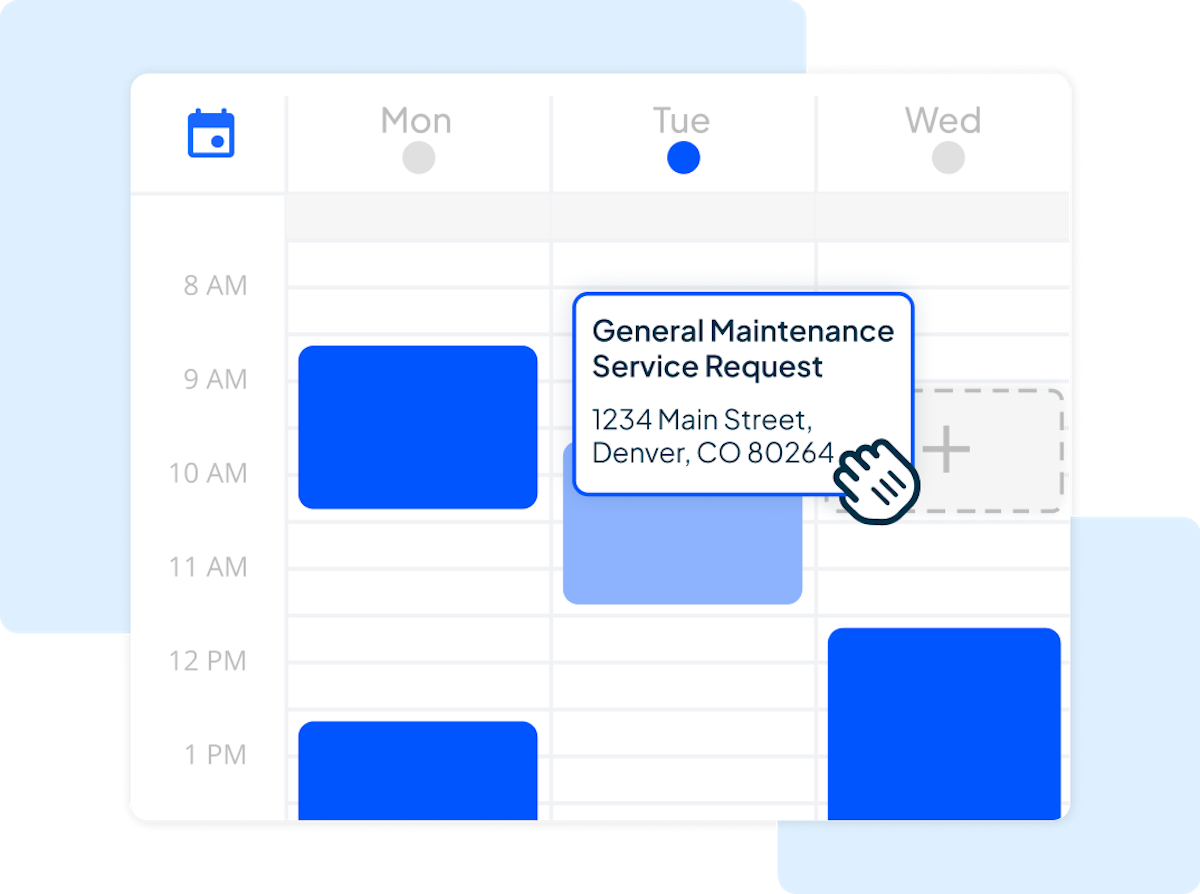
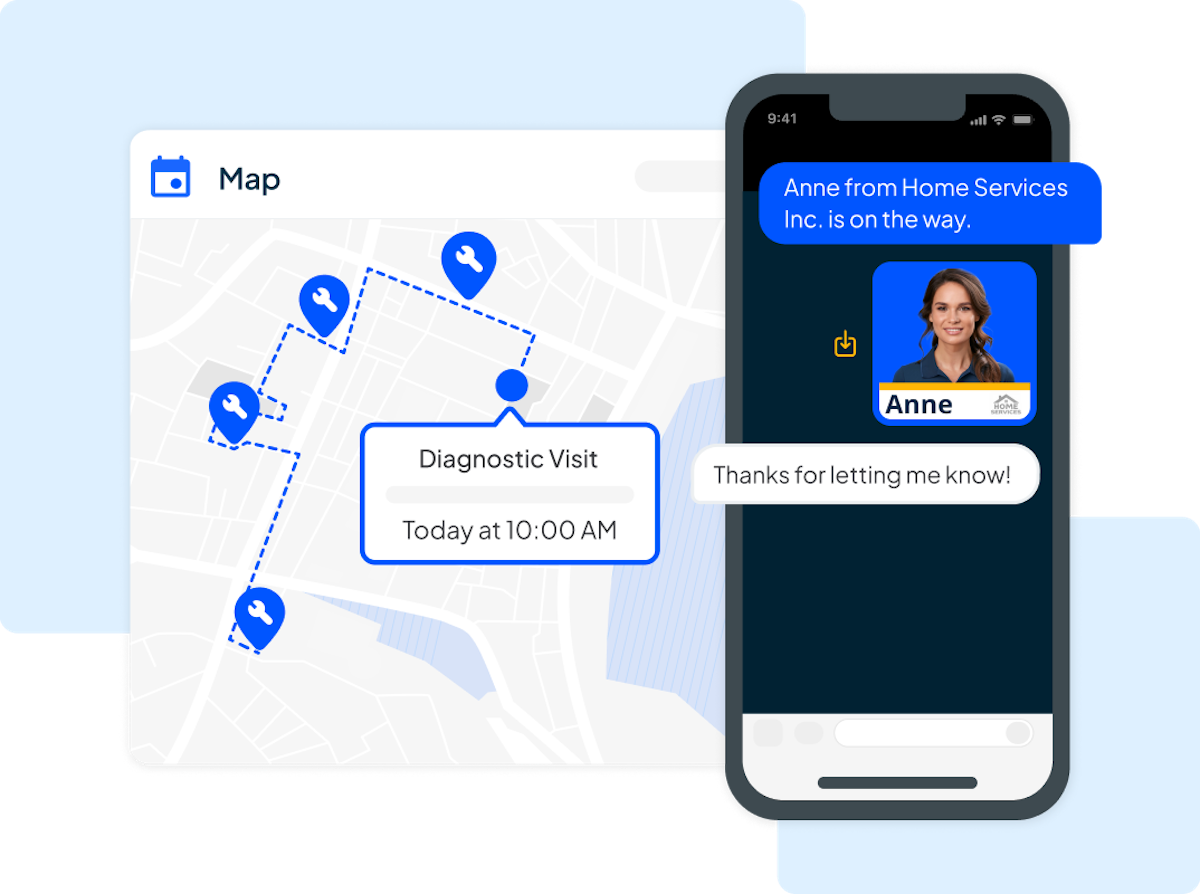
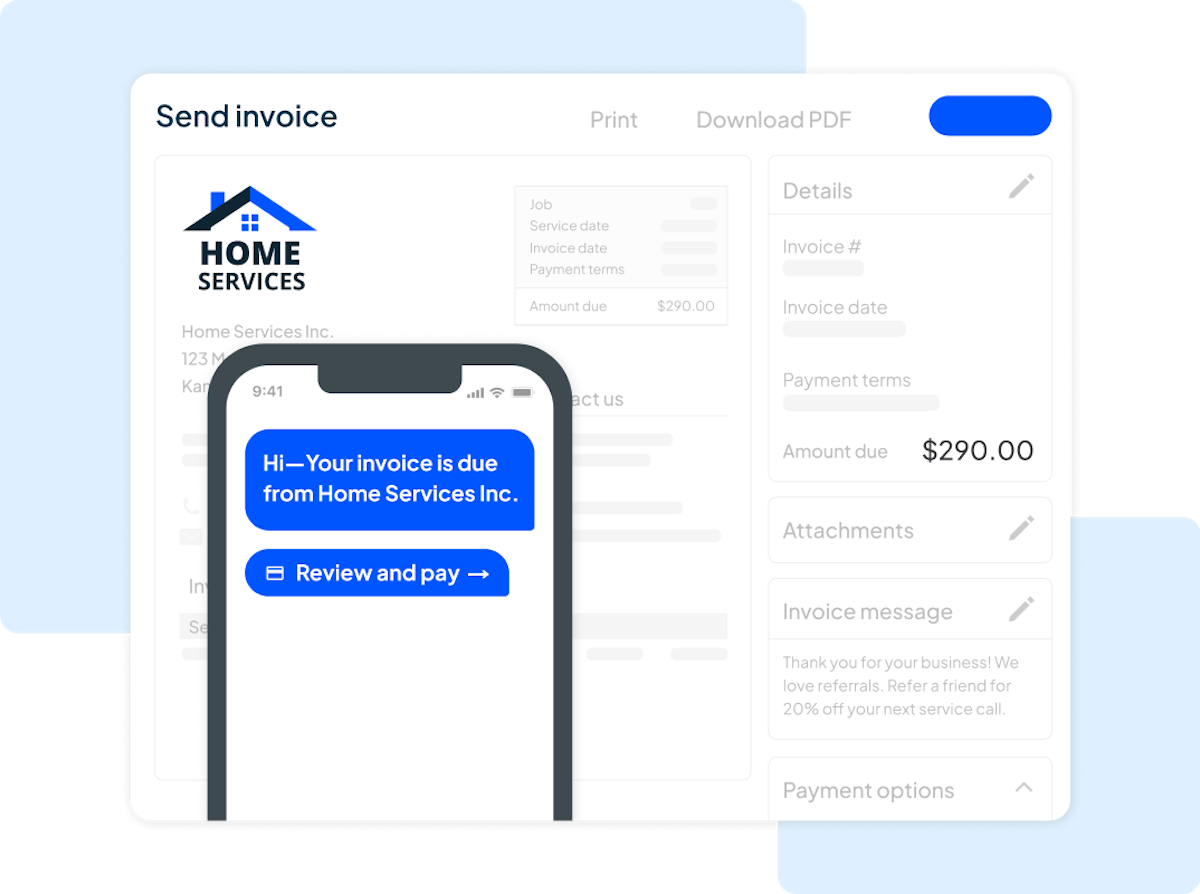
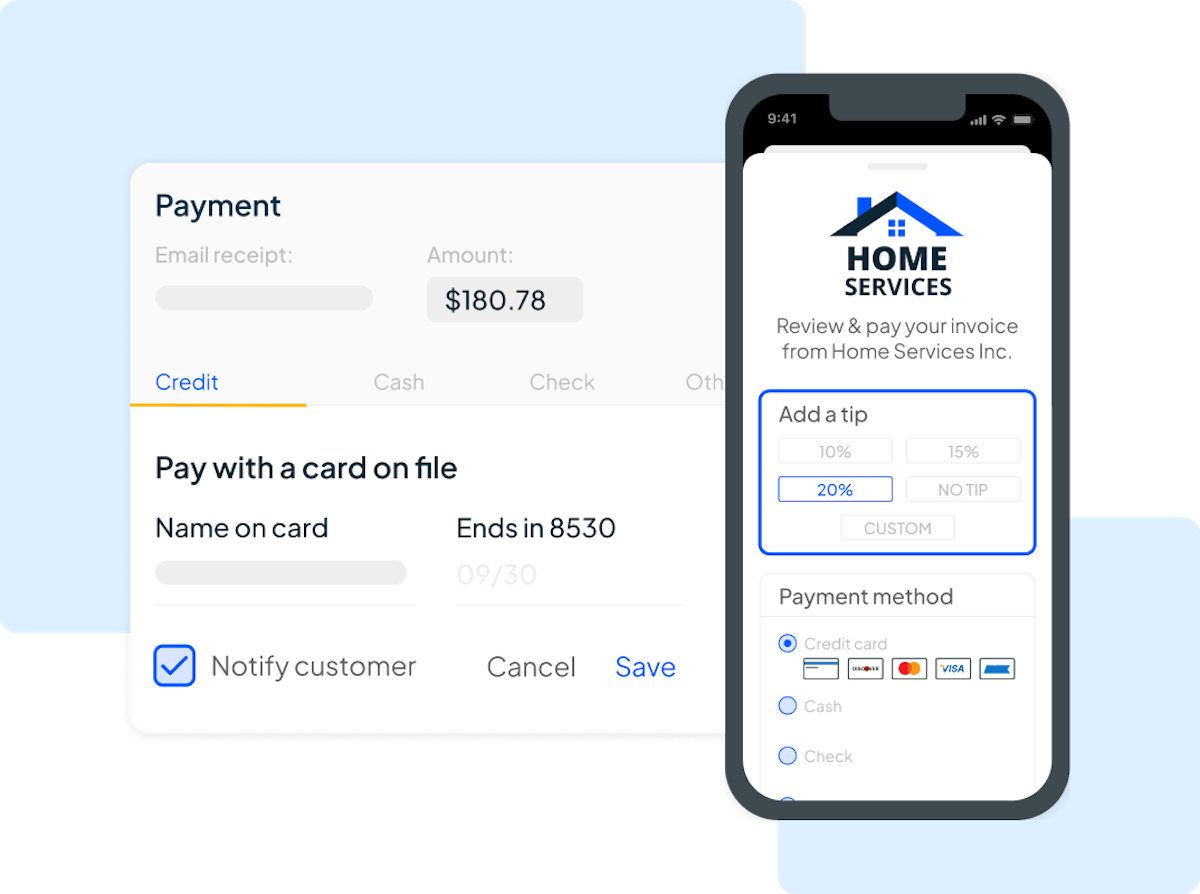
See Housecall Pro in action
A quick look at the interface, so you know what you are getting before the trial.
What Housecall Pro does
The areas we lean on most in daily use, and how Housecall Pro handles each.
Scheduling & dispatch
A drag-and-drop calendar with automated appointment reminders that cut no-shows and fill the day, plus GPS and routing on higher tiers.
Online booking
A booking widget on the business's website lets customers request and schedule work themselves, feeding jobs straight into the calendar.
Mobile app
Technicians run the whole job from their phone: job details, photos, the flat-rate price book, and card payment or financing on the spot.
Marketing & reviews
Its standout layer. Automatic Google review requests after each job, plus built-in email and postcard marketing, feed the business's online reputation.
Invoicing & payments
Card payments, ACH and consumer financing built in, with automatic follow-up on unpaid invoices so money arrives faster.
Consumer financing
Offer homeowners financing at the point of sale to close bigger jobs, a feature few competitors build in natively.
Price book & sales proposals
A flat-rate price book and good-better-best proposals let techs quote options on site without guesswork.
Automations & QuickBooks
Reminders, recurring service plans and two-way QuickBooks Online sync (Essentials tier and up) cut manual office work.
Reporting & analytics
Dashboards on revenue, jobs and technician performance, with advanced reporting reserved for the MAX plan.
Time tracking & CRM
Timesheets track employee hours against jobs for payroll and job costing, while the customer database works as a light CRM with full client history.
How Housecall Pro works day to day
In daily use, Housecall Pro is built around how a homeowner experiences the job. A customer books online or the office takes the call, the visit lands on a drag-and-drop calendar, the technician arrives with the full job history on their phone, quotes options from a flat-rate price book, takes card payment or offers financing on the spot, and an automatic review request goes out afterward. The whole flow is designed to feel polished to the customer, which is the platform's signature.
Scheduling and dispatch sit at the center. A drag-and-drop calendar, an online booking widget on the business's own website, and automated appointment reminders keep the day full and cut no-shows. Dispatchers see the whole team at a glance, and GPS and routing on the higher tiers keep drive time down for a busy crew.
The marketing and reviews layer is what reviewers single out. Housecall Pro automatically asks every customer for a Google review after the job, and built-in email and postcard marketing plus a customer portal keep a business's name in front of past clients. For a residential shop that lives on reputation and repeat work, having this built in rather than bolted on is the main reason to choose it.
On the money side, technicians take card payments, ACH or offer consumer financing in the field, and automatic follow-ups chase unpaid invoices so money arrives faster. Two-way QuickBooks Online sync on the Essentials tier and up keeps the books current, and the flat-rate price book with good-better-best sales proposals helps techs quote bigger jobs on site.
Across Housecall Pro reviews the pattern is consistent, and it is worth reading a spread of them before you buy. Business owners and small businesses praise the same things: the software is easy to use, customer support and onboarding are responsive, and the marketing and booking features win repeat work. Reviewers weigh the overall value against a budget that grows as add-ons and extra users stack up, and the most common complaints in Housecall Pro software reviews are limited customization, occasional QuickBooks sync glitches, and reporting options that stay basic.
Customization and reporting are the honest ceiling. A business that needs bespoke workflows, deep custom reports or heavy inventory management will find Housecall Pro lighter than enterprise field service tools, and some of the features that close that gap, like advanced reporting, sit on the MAX plan rather than Basic.
Housecall Pro is built for residential home-service trades, and the reviews come from across all of them: HVAC, plumbing and electrical contractors, cleaning and maid services, carpet and window cleaning, pressure washing, painting, pest control, garage-door, appliance-repair and lawn-care businesses, from solo operators to shops with a few dozen employees. More than 200,000 home-service professionals now run on it, which is why the app, the onboarding and the marketing tools are as polished as they are.
Compared with Jobber, its closest rival, Housecall Pro leans harder into consumer marketing, review generation and financing, while Jobber is often preferred for straightforward quoting and a slightly more flexible mobile workflow. Both sit at the top of the category, so the pick comes down to whether customer experience or workflow simplicity matters more to your shop.
Beyond the core job cycle, timesheets track employee hours against each job, the customer database doubles as a light CRM that keeps every client's history in one place, and an optional fleet-tracking add-on shows vehicle locations on a map. All of it feeds the same dashboards and reports, and connects out through QuickBooks and the wider set of integrations and apps.
The mobile app lets technicians run the whole job from their phone, and while a few features still trail the web app, it is polished enough that crews adopt it in days. Dispatching, payments and automated follow-up all update in real time across the office and the field.
Housecall Pro pros and cons
Pros
- One of the highest user ratings in the category (4.7/5 from 2,700+ reviews)
- Excellent consumer-facing tools: online booking, review generation, financing
- Very easy to learn with a clean drag-and-drop calendar
- Strong marketing suite (email and postcard) built in, not an add-on
- Responsive, well-rated customer support and onboarding
- No long contract; 14-day free trial with no card required
Cons
- Limited customization for unusual workflows
- Occasional QuickBooks sync bugs reported by reviewers
- Routing, GPS, sales proposals and advanced reporting gated to higher tiers
- Reporting is lighter than enterprise field-service tools
- Costs climb as add-ons and extra users stack up
Who should use Housecall Pro, and who should skip it
A great fit if you
- You run a residential home-service business and care about customer experience
- You want online booking, review generation and marketing built in, not bolted on
- You run HVAC, plumbing, electrical, cleaning, pest control or pressure washing work
- You value a polished, easy tool your techs adopt fast
- You want to offer consumer financing at the point of sale
Look elsewhere if you
- You need deep customization or heavy custom reporting
- You run large commercial jobs with complex project workflows
- You need advanced inventory or asset management built in
- You want every feature on the entry Basic plan without upgrading
Is Housecall Pro right for your trade?
Housecall Pro is used across the main home-service trades. Here is how it fits each one, and what its reviews tend to say in that niche.
Housecall Pro for HVAC
HVAC contractors run Housecall Pro for maintenance agreements, flat-rate price books and financing; its HVAC software reviews single out the mobile app and same-day invoicing.
Housecall Pro for Plumbing
Plumbing businesses use it for same-day dispatch, upfront pricing and on-site card payment, the themes that show up most in its plumbing software reviews.
Housecall Pro for Electrical
Electrical contractors quote from the price book, attach job photos and send good-better-best proposals, closing more work on the first visit.
Housecall Pro for Roofing
Roofing companies lean on proposals and consumer financing to win and close the larger tickets that define the trade.
Housecall Pro for Cleaning
Cleaning and maid services rely on recurring service plans and automated reminders to keep repeat visits filled and on schedule.
Housecall Pro for Pressure washing
Pressure-washing and exterior-cleaning pros use online booking and instant invoicing to turn quick, high-volume jobs around fast.
Housecall Pro for Painting
Painting businesses use detailed estimates, deposits and follow-up marketing to win repeat and referral work.
Housecall Pro for Pest control
Pest control companies use recurring plans and route scheduling, though dedicated pest platforms go deeper on chemical and compliance tracking.
Housecall Pro for Garage door
Garage-door pros use the flat-rate price book and on-site payment to quote and collect in a single visit.
Housecall Pro for Appliance repair
Appliance-repair techs use job history, parts notes and mobile invoicing to diagnose and close service calls on the spot.
Housecall Pro for Lawn care
Lawn-care and landscaping crews use recurring scheduling and automated billing to run route-based, seasonal work.
Housecall Pro for Carpet cleaning
Carpet and upholstery cleaners use online booking and automatic review requests to build a steady residential client base.
Housecall Pro scorecard
How Housecall Pro scored across our rubric. Every tool is measured on the same areas.
Housecall Pro pricing and plans
Real starting prices, dated and re-checked each pass. Prices shown are per month on annual billing; month-to-month is higher (Basic is $79/mo). Basic includes 1 user, Essentials up to 5 and MAX up to 8; additional users on MAX are $35/mo each. Consumer financing and some marketing add-ons cost extra.
- 1 user included
- Drag-and-drop scheduling
- Invoicing and card payments
- Online booking widget
- Review generation
- Up to 5 users
- Everything in Basic
- QuickBooks Online sync
- Automated marketing and reminders
- Recurring service plans
- Up to 8 users
- Everything in Essentials
- Advanced reporting
- Sales proposals and price book
- Dedicated onboarding and escalated support
Housecall Pro integrations
Tools Housecall Pro connects with out of the box, so it fits the stack you already run.
 QuickBooks Online
QuickBooks Desktop
QuickBooks Online
QuickBooks Desktop
 Google Calendar
 Mailchimp
 Zapier
 Meta for Business
 CompanyCam
 Gusto
Gusto
 Stripe
 Google Local Services Ads
Support, training and deployment
How you can reach the Housecall Pro team, how they onboard you, and where it runs.
Support
- Email / Help Desk
- Phone Support
- Chat
- Knowledge Base
- FAQs / Forum
Training
- Live Online
- Webinars
- Documentation
- Videos
Deployment
- Cloud, SaaS, Web-Based
- Mobile - Android
- Mobile - iPhone / iPad
Typical customers
- Freelancers
- Small businesses
- Mid-size businesses
Housecall Pro alternatives
If Housecall Pro is not the fit, these are the closest tools we rank, in order.




How to test Housecall Pro before you commit
Every tool demos well. These are the checks that actually tell you whether Housecall Pro fits your shop, while the free trial is still running.
Run a real job end to end
- Book it, schedule it, dispatch a tech, then invoice and take payment
- Do it on the phone your techs actually carry, not a demo laptop
- Try it with weak signal in the field, not just on office wifi
- Add a second user and watch how the per-seat price moves
Watch for the catch
- Payment-processing fees taken on every card and ACH run
- Features quietly locked to a higher tier than the one you tried
- Onboarding or data import sold as a paid add-on
- How hard it is to export your data if you decide to leave
Housecall Pro FAQ
How much does Housecall Pro cost?
Housecall Pro costs $59/mo for the Basic plan (1 user) on annual billing. Essentials is $149/mo for up to 5 users and MAX is $299/mo for up to 8 users. Month-to-month billing is higher (Basic is $79/mo) and extra users on MAX are $35/mo each.
Does Housecall Pro have a free trial?
Yes, a 14-day free trial with no credit card required, so you can test scheduling, the online booking widget, invoicing and the mobile app on real jobs. There is no permanent free plan.
Is Housecall Pro worth it?
For a residential home-service business that values customer experience, yes. Housecall Pro pays for itself through built-in review generation, online booking and financing that win and close more work, and it is one of the easiest platforms to adopt. It is less worth it if you need deep customization or heavy custom reporting.
What do Housecall Pro reviews say?
Across Housecall Pro reviews the pattern is consistent: business owners praise the ease of use, responsive customer support and the marketing and booking features, and rate it 4.7 out of 5 from more than 2,700 reviews. The most common criticisms are limited customization, occasional QuickBooks sync glitches and basic reporting.
Housecall Pro vs Jobber: which is better?
Housecall Pro edges ahead on consumer-facing tools like online booking, review generation and financing, and carries a slightly higher user rating (4.7 vs 4.6). Jobber is often preferred for straightforward quoting and a slightly more flexible mobile workflow. The right pick depends on whether marketing and customer experience or workflow simplicity matters more to your shop.
Is Housecall Pro good for HVAC and plumbing businesses?
Yes. HVAC, plumbing and electrical contractors are among Housecall Pro's largest customer groups. Recurring service plans, the flat-rate price book, good-better-best sales proposals and financing map neatly onto how residential trade jobs are sold and serviced.
Does Housecall Pro have a mobile app?
Yes. Technicians use the Housecall Pro mobile app to see their schedule, view job history, quote from the price book, take card payment or offer financing, and update job status in the field. A few features still trail the web app, but crews adopt it quickly.
Does Housecall Pro offer consumer financing?
Yes. Housecall Pro has consumer financing built in, so technicians can offer homeowners monthly payment options at the point of sale to close bigger jobs. It is one of the few field service platforms to build financing in natively.
Does Housecall Pro integrate with QuickBooks?
Yes. Housecall Pro syncs two-way with QuickBooks Online on the Essentials tier and above, and also supports QuickBooks Desktop, alongside Mailchimp, Zapier and other apps.
What is the difference between Basic, Essentials and MAX?
Basic covers scheduling, invoicing, payments, online booking and review generation for a solo operator. Essentials adds up to 5 users, QuickBooks sync and automated marketing. MAX adds up to 8 users, advanced reporting, sales proposals, and dedicated onboarding with escalated support.
How many businesses use Housecall Pro?
More than 200,000 home-service professionals use Housecall Pro. Founded in 2013 and based in San Diego, California, it is one of the most widely used field service management platforms for residential home-service businesses.
What are Housecall Pro's main limitations?
Reviewers most often cite limited customization, occasional QuickBooks sync bugs, reporting that stays basic, and the fact that routing, GPS, sales proposals and advanced reporting require the higher Essentials or MAX plans.
Housecall Pro reviews from real users
Verified reviews from people running Housecall Pro in the field. Every review is read by our team before it goes live, so this is honest signal, not spam.
No user reviews yet. If you use Housecall Pro, be the first to tell other shops how it works in the real world.
You need a free account to post a review. Create one in under a minute and you will come right back here to write it.
Why our ranking is worth trusting
“We run a real week of jobs through every tool and score it against the same 40 points. If it wins, it earned it, and no vendor can change that.”
The Duhari review teamNot sure which tool fits?
Start from the full ranking, filtered by your trade and crew size, and pick the right tool with honest scores and real starting prices.