
SiteCapture Review
SiteCapture is a mobile and cloud platform for field inspections and photo documentation, aimed at solar, real-estate and construction teams, and this SiteCapture review weighs the pricing, features and what verified SiteCapture reviews say, so a field team that lives on site photos and reports can decide whether it fits.
On this page
The verdict
SiteCapture, formerly FotoNotes, is a field data-capture specialist rather than a full FSM, and its reviews are strong: a 4.6 on Capterra from around 28 reviews, with 100% positive sentiment and top marks for ease of use. Its job is turning site visits into structured records, GPS-verified photos, customisable inspection forms, work orders and instant reports, which is exactly what solar installers, property inspectors and construction teams need when the deliverable is documented proof of work.
Where SiteCapture fits is photo-heavy inspections and site documentation, not running the whole business. Automated photo organisation, GPS-verified capture, customisable templates and real-time reporting make it a strong fit for solar site surveys, property condition reports and construction progress documentation, industries where a folder of tagged, verified photos is the product.
The trade-off is scope. SiteCapture does not schedule, dispatch or run full invoicing and CRM the way a Jobber or a ServiceTitan does, so it usually runs alongside another system as the capture-and-report layer. Pricing starts around $30 per user a month with a 14-day free trial. For a solar, property or construction team whose real need is field inspections and photo documentation, though, SiteCapture is worth it and purpose-built for the job.
SiteCapture at a glance
| Vendor | SiteCapture (FotoNotes) | Category | Field inspection software |
|---|---|---|---|
| Best for | solar, roofing and construction field inspection teams | Starting price | $30/user/mo+ |
| Free trial | Yes | Free plan | No |
| User rating | 4.6/5 (28 reviews) | Our score | 8.2/10 |
| Deployment | Cloud, iOS, Android | Founded | 2009 |
| Headquarters | Oakland, USA | Users | – |
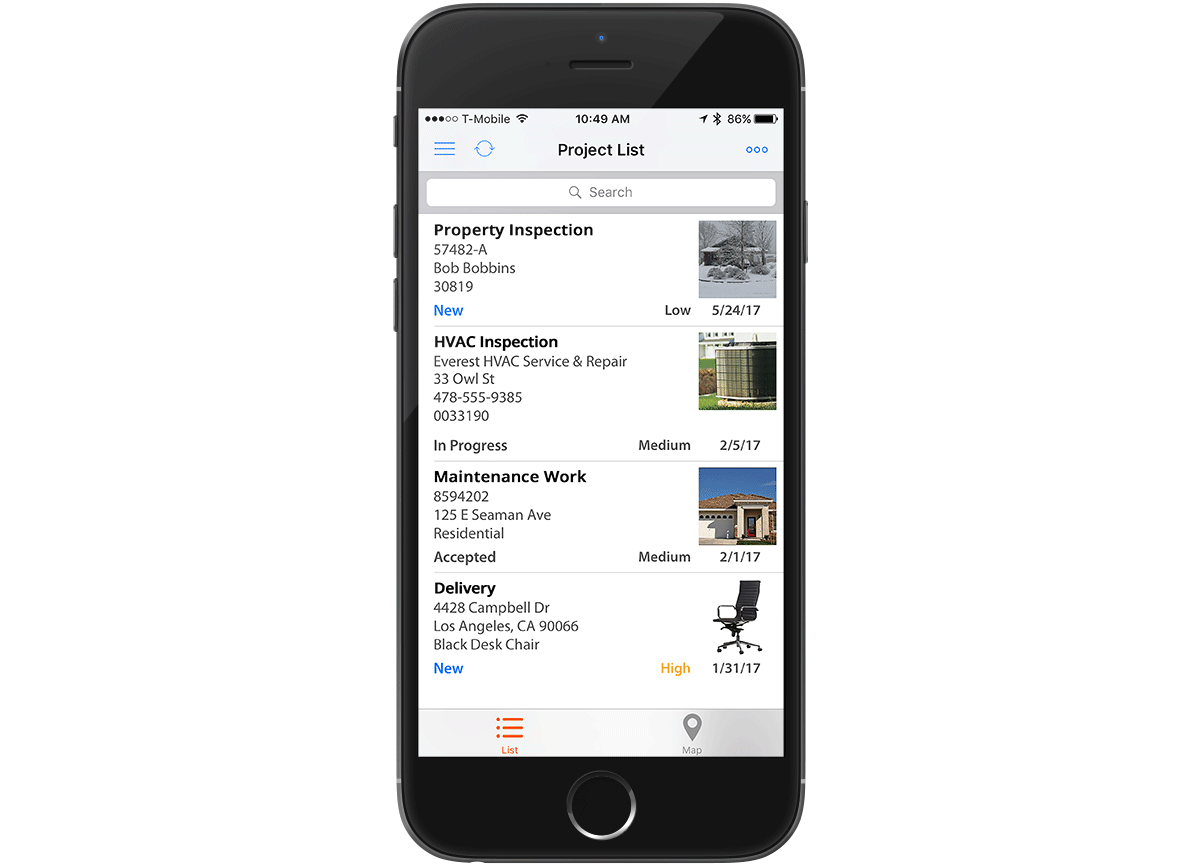
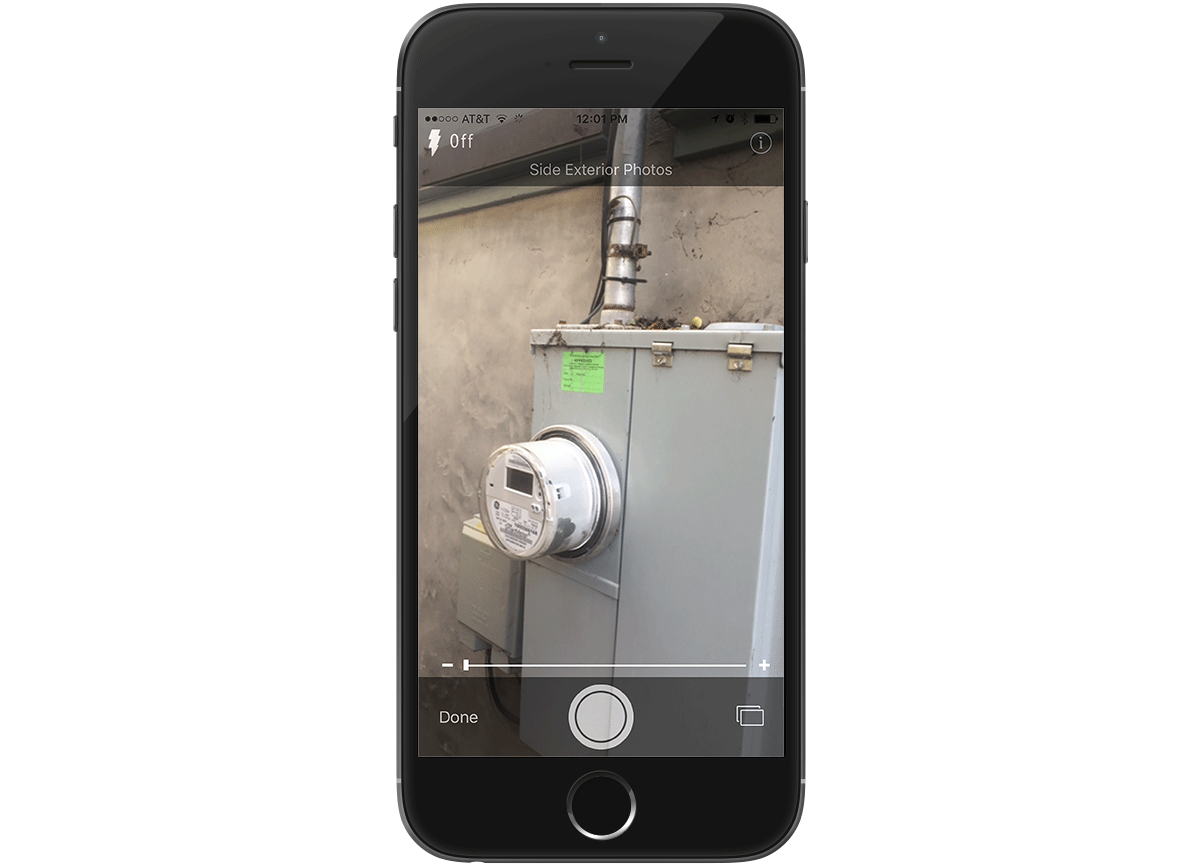
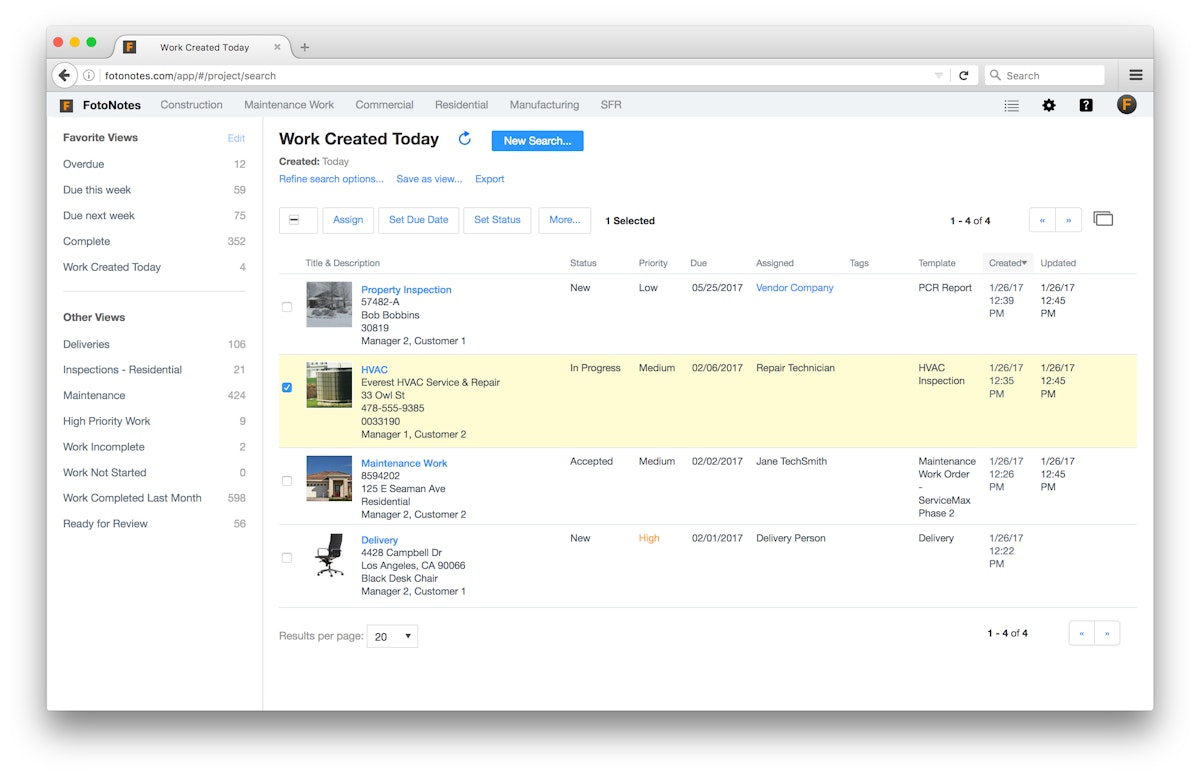
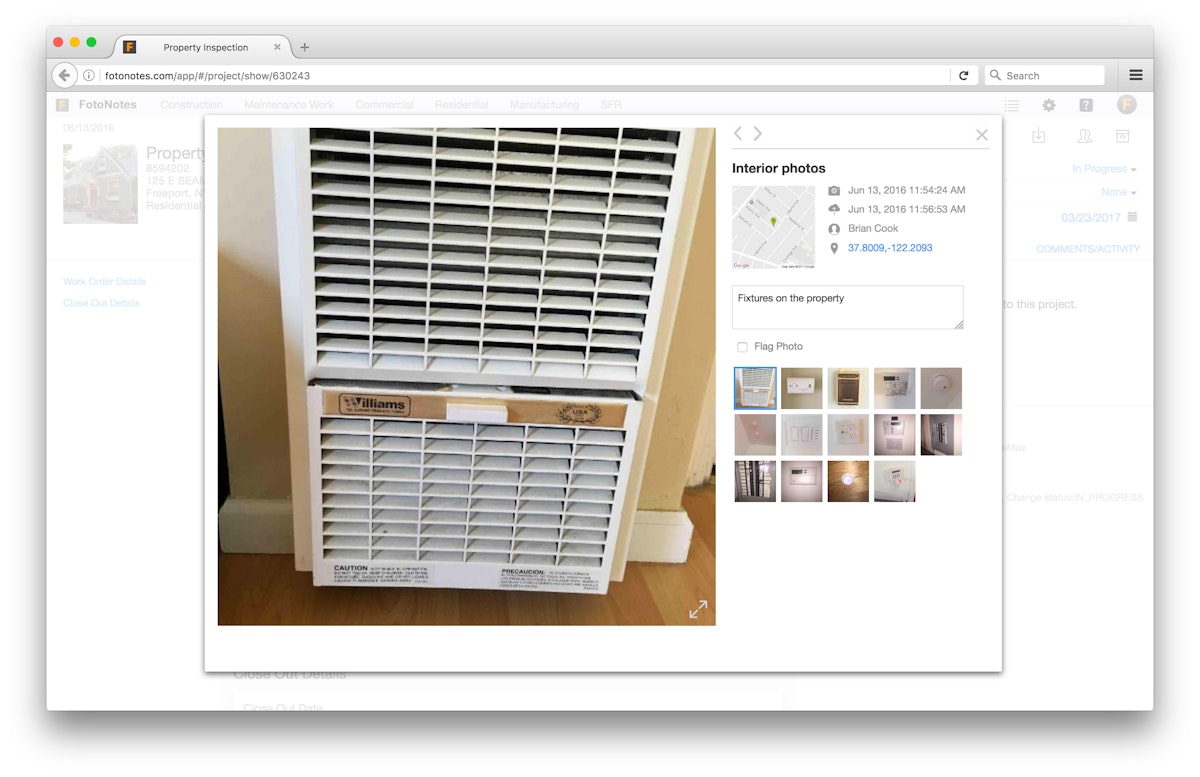
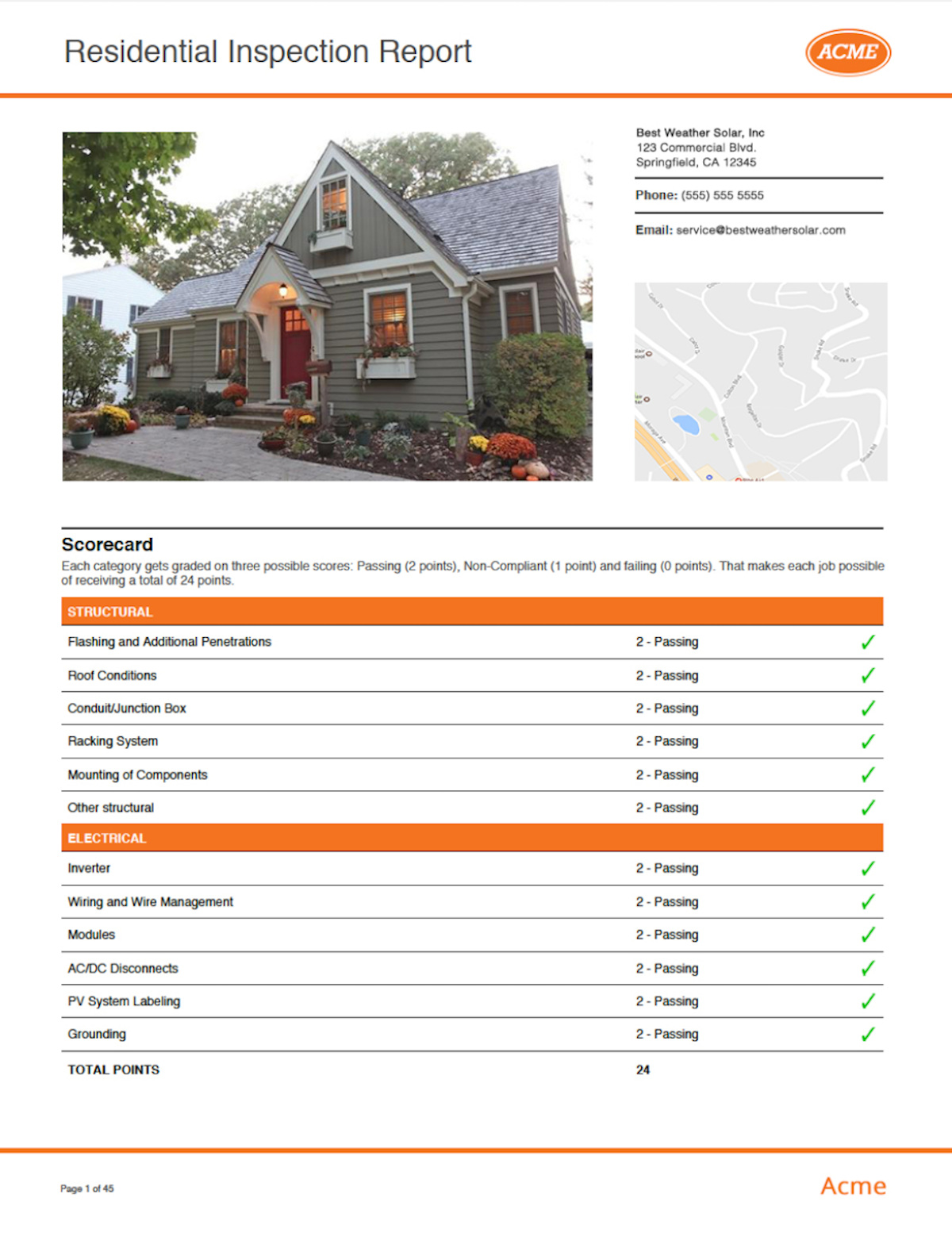
See SiteCapture in action
A quick look at the interface, so you know what you are getting before the trial.
What SiteCapture does
The areas we lean on most in daily use, and how SiteCapture handles each.
Photo & GPS-verified capture
Its core. GPS-verified image capture and automated photo organisation return every visit as tagged, location-stamped photos, not a messy camera roll.
Customisable inspection templates
Build forms and checklists for exactly what a solar survey, property report or construction inspection needs, so data comes back complete.
Work order management
Field workers view, accept and complete work orders and capture the data, images and signatures each one requires.
Instant reporting
Turn captured data and photos into instant, branded reports a client, lender or insurer can read the moment the visit ends.
Offline capture
The mobile app works with no signal, so a technician on a remote roof or site can capture everything and sync later.
Roles, permissions & workflow
Role-based permissions, real-time notifications and workflow automation keep a growing team coordinated across many sites.
Data management & organisation
Captured photos and data stay organised and searchable, replacing manual sorting and re-keying in the back office.
Integrations & notifications
Route captured data into other systems and keep the team updated with real-time notifications as submissions come in.
How SiteCapture works day to day
In daily use, SiteCapture turns a site visit into a clean, shareable record. A field worker opens the right inspection template on a phone or tablet, captures GPS-verified photos, fills in the form fields, adds a signature, and submits it, even offline, and the office gets an organised, tagged set of photos and data instead of a camera roll and a paper form. For a team whose deliverable is documented proof of work, that is the whole value.
Photo and data capture is the core. GPS-verified image capture, automated photo organisation and customisable inspection templates mean every visit comes back with the right shots, tagged to the job and location, so nothing is missed and nothing has to be re-sorted by hand later.
Inspections and reporting are built for the deliverable. Customisable forms and checklists capture exactly the fields a solar survey, property condition report or construction inspection needs, and instant, branded reports turn that data into something a client, lender or insurer can read the moment the visit ends.
Capture works in the field and scales in the office. The mobile app works offline for remote sites, role-based permissions and real-time notifications keep a team coordinated, and workflow automation moves each submission through review, so a growing operation can manage many sites without losing track.
Across SiteCapture reviews the pattern is consistently positive, if from a modest sample. Users praise the ease of use, the reliable photo and data capture and the responsive support, which is why it holds a 4.6 on Capterra with 100% positive sentiment. The main note in SiteCapture software reviews is its focus: it is an inspection and capture tool, so buyers wanting full scheduling, dispatch and invoicing look elsewhere.
The honest ceiling is what it is not. SiteCapture has no scheduling, dispatch, CRM or full invoicing, and its review base is small, so a business wanting an all-in-one field-service platform should choose a dedicated FSM. It rewards teams whose specific job is field inspections, photo documentation and reporting.
SiteCapture is strongest in a few industries, and its reviews come from across them: solar installers and surveyors, real-estate and property-management inspectors, construction and roofing teams, and home-services and insurance inspection operations. Any field operation whose deliverable is verified photos and reports is a natural fit.
Compared with full FSM tools, SiteCapture is narrower and cheaper by design. It does not run scheduling, dispatch and billing like a Jobber or a Housecall Pro; instead it does GPS-verified photo capture, inspections and reporting better and more flexibly, which is exactly why solar and property teams choose it as their capture-and-report layer.
As cloud-based field inspection and project-documentation software, SiteCapture gives mobile access to work requests, automatically organises photos, and runs review workflows, so a service business can manage quality across many projects. Pricing starts around $30 per user, and real-time updates and a 14-day free trial let a team test it before committing.
SiteCapture pros and cons
Pros
- Excellent, easy-to-use photo and GPS-verified data capture
- Customisable inspection templates for solar, property and construction
- Instant, branded reports clients and lenders can read
- Reliable offline capture for remote sites
- Strong, 100% positive reviews and responsive support
Cons
- Not a full FSM: no scheduling, dispatch, CRM or full invoicing
- Small review base (around 28 on Capterra)
- Usually run alongside another system, not instead of one
- Per-user pricing that adds up for larger teams
- Narrow focus if you need more than inspections and capture
Who should use SiteCapture, and who should skip it
A great fit if you
- You run solar, roofing, real-estate or construction field inspections
- Your deliverable is verified photos and reports
- You need GPS-verified capture and automated photo organisation
- You want customisable inspection templates and instant reports
- You already have (or do not need) a separate FSM
Look elsewhere if you
- You want an all-in-one field-service platform
- You need scheduling, dispatch, CRM and full invoicing
- You want a large, established review base to lean on
- You only do simple jobs without photo documentation
Is SiteCapture right for your trade?
SiteCapture is used across the main home-service trades. Here is how it fits each one, and what its reviews tend to say in that niche.
SiteCapture for Solar
Solar installers use GPS-verified site surveys, install documentation and instant reports, one of SiteCapture's strongest niches.
SiteCapture for Roofing
Roofing teams capture condition photos and measurements on site and turn them into branded inspection reports for customers and insurers.
SiteCapture for Real estate
Real-estate and property inspectors document condition with tagged photos and customisable forms, then generate reports on the spot.
SiteCapture for Construction
Construction teams document progress, punch lists and quality with organised, location-stamped photos across every site.
SiteCapture for Property management
Property managers run move-in, move-out and routine inspections with consistent templates and a searchable photo record.
SiteCapture for Home services
Home-service teams use photo capture and reports as proof of work alongside their scheduling or accounting tool.
SiteCapture for Insurance inspections
Insurance and field-adjusting teams capture verified photos and structured data for fast, defensible claim reports.
SiteCapture for Facilities
Facilities and asset-inspection teams document condition and issues across multiple sites with role-based access and workflow.
SiteCapture scorecard
How SiteCapture scored across our rubric. Every tool is measured on the same areas.
SiteCapture pricing and plans
Real starting prices, dated and re-checked each pass. SiteCapture pricing starts around $30 per user per month, with some sources citing a higher entry tier near $130/mo depending on plan and features. A 14-day free trial is available; confirm current tiers and enterprise options with SiteCapture.
Starts at $30/user/mo.
SiteCapture integrations
Tools SiteCapture connects with out of the box, so it fits the stack you already run.
 Salesforce
API
Cloud storage
Salesforce
API
Cloud storage
 Zapier
Support, training and deployment
How you can reach the SiteCapture team, how they onboard you, and where it runs.
Support
- Email / Help Desk
- Phone Support
- Knowledge Base
Training
- Live Online
- Documentation
- Videos
Deployment
- Cloud, SaaS, Web-Based
- Mobile - Android
- Mobile - iPhone / iPad
Typical customers
- Small businesses
- Mid-size businesses
- Enterprises
SiteCapture alternatives
If SiteCapture is not the fit, these are the closest tools we rank, in order.




How to test SiteCapture before you commit
Every tool demos well. These are the checks that actually tell you whether SiteCapture fits your shop, while the free trial is still running.
Run a real job end to end
- Book it, schedule it, dispatch a tech, then invoice and take payment
- Do it on the phone your techs actually carry, not a demo laptop
- Try it with weak signal in the field, not just on office wifi
- Add a second user and watch how the per-seat price moves
Watch for the catch
- Payment-processing fees taken on every card and ACH run
- Features quietly locked to a higher tier than the one you tried
- Onboarding or data import sold as a paid add-on
- How hard it is to export your data if you decide to leave
SiteCapture FAQ
How much does SiteCapture cost?
SiteCapture pricing starts around $30 per user per month, with some sources citing a higher entry tier near $130/mo depending on plan and features. A 14-day free trial is available. Confirm current tiers and enterprise options directly with SiteCapture.
Is SiteCapture a full field-service management platform?
No. SiteCapture is a field inspection and photo-documentation platform, not a full FSM. It has no scheduling, dispatch, CRM or full invoicing, so most teams run it alongside an FSM or accounting tool as their capture-and-report layer.
What do SiteCapture reviews say?
Across SiteCapture reviews, from a modest sample of around 28 on Capterra, sentiment is 100% positive: users praise the ease of use, the reliable photo and GPS-verified data capture, and responsive support, giving it a 4.6 out of 5. The main caveat is its narrow, inspection-focused scope.
Is SiteCapture good for solar companies?
Yes, solar is one of its strongest niches. Solar installers and surveyors use GPS-verified site surveys, install documentation and instant reports, so the photos and data a project needs are captured consistently and packaged for customers and lenders.
Does SiteCapture do inspections and photo capture?
Yes, that is its core. Customisable inspection templates, GPS-verified image capture and automated photo organisation turn each site visit into a tagged, structured record, and instant reports package it for clients and insurers.
Does SiteCapture work offline?
Yes. The SiteCapture mobile app works with no signal, so a technician on a remote roof or site can capture photos, data and signatures, then sync everything to the office when connectivity returns.
Is SiteCapture worth it?
If your deliverable is verified photos and inspection reports, yes. SiteCapture is purpose-built for solar, property and construction documentation and does it flexibly. It is not worth it if you actually need an all-in-one platform with scheduling and invoicing, where a full FSM fits better.
Is SiteCapture the same as FotoNotes?
Yes. SiteCapture is the current name of the platform formerly known as FotoNotes, which is why some review sites and listings still appear under FotoNotes. It is the same field inspection and photo-capture product.
Does SiteCapture integrate with other systems?
Yes. SiteCapture can route captured data and reports into other systems through integrations and workflow, so it fits as the inspection and photo-capture layer inside a larger software stack.
Does SiteCapture have a mobile app?
Yes. The mobile app for iOS and Android is central to the product: field teams use it to open inspection templates, capture GPS-verified photos and data offline, add signatures and submit records to the office.
SiteCapture reviews from real users
Verified reviews from people running SiteCapture in the field. Every review is read by our team before it goes live, so this is honest signal, not spam.
No user reviews yet. If you use SiteCapture, be the first to tell other shops how it works in the real world.
You need a free account to post a review. Create one in under a minute and you will come right back here to write it.
Why our ranking is worth trusting
“We run a real week of jobs through every tool and score it against the same 40 points. If it wins, it earned it, and no vendor can change that.”
The Duhari review teamNot sure which tool fits?
Start from the full ranking, filtered by your trade and crew size, and pick the right tool with honest scores and real starting prices.